
Help centre
Guides and answers for FixedAsset Pro.
Articles
Getting started
Asset register
Depreciation and accounting
Physical verification and tagging
Maintenance and operations
Reports and exports
Users, security and administration
Desktop installation and backup
Frequently asked questions
Answers grouped by product area. For in-depth explanations see our guides and the implementation guide.
General
How much does FixedAsset Pro cost?
Plans and prices are shown on the pricing page, read live from the plan configuration. Larger organisations, multi-company groups and enterprise requirements are scoped and quoted by our Sales Team.
Is there a free trial?
Yes, where a plan offers one. The trial needs no card; its length is shown on the plan and confirmed at sign-up. Your trial uses your real company, branches and administrator, with no demo data. Start the free trial.
Desktop, web or mobile: which one do I need?
The web edition runs in the browser with nothing to install. The desktop edition runs on your own Windows LAN (Windows 10 / 11). The mobile app for Android and iOS works with web edition accounts for scanning, offline counting and approvals; desktop installations count with a USB scanner, a webcam or count sheets. See desktop vs web.
Can we import our existing register from Excel?
Yes. Import from Excel, CSV or JSON through the column-mapping wizard. A dry run reports every problem row before anything is written, the import is all-or-nothing, and opening balances for both books are tied to your audited totals. The free register template uses the importer's own columns.
Does it handle Schedule II and the Income-tax Act?
Yes, as two books on the same asset. The Companies Act book depreciates each asset by its Schedule II useful life; the Income-tax book works on s.32 blocks with the 180-day rule, additional depreciation and s.50. A comparison report shows both side by side. See Depreciation.
How does it help with CARO 2020 physical verification?
Verification campaigns record verified, missing, found-elsewhere and mismatch outcomes with photo and signature evidence, and end in a signed statement and audit pack for your auditor under clause 3(i)(b). FixedAsset Pro does not itself certify compliance. See Physical Verification.
Does the AI change our records or send our data outside?
The AI reads and explains; it does not change your records on its own. On the desktop edition the model runs locally on your server PC. On the web edition AI runs inside the FixedAsset Pro service, and an external cloud provider stays off unless an administrator opts in; even then it receives the question or document text, never database rows. See AI.
Can we keep Ind AS or IFRS books too?
Yes. Alongside the built-in Companies Act and Income-tax books you can add Ind AS / IFRS, management or custom books, each with its own policy, and choose the one corporate book that posts to the ledger. See Financial Management.
Do you offer white-label or enterprise deployments?
Yes, on request: white-label with your name, logo, colours and domain, a dedicated managed instance, a separate database per customer, on-premise deployment and priority support. See Enterprise & White-label.
Fixed Asset Management
Can we bring our existing register?
Yes. Import from Excel, CSV or JSON through the column-mapping wizard. The dry run reports every problem row before anything is written, the commit is all-or-nothing, and opening balances for both books are tied to your audited totals.
How do we migrate from an Excel register?
Download the Masters and Assets templates, or keep your own columns and map them once (the mapping is saved). Import the masters first, then the assets with opening balances at a month-end cut-over date. The dry run lists every problem by row, with an error workbook to fix; you commit only when it is clean.
What can be printed on a label?
QR, barcode, Data Matrix and EAN-13 labels on your own label sheets. RFID EPC codes are exported for your printer-encoder. A QR carries a secure identifier only, never the asset's values.
What happens when a custodian or location changes?
Those fields are locked once in use. The change is made through a transfer or assignment transaction, with the approval chain you configure, and the previous state stays on the asset's timeline.
Can we add our own fields?
Yes. Custom fields appear on the asset form and the asset card alongside the standard ones.
Asset Lifecycle
Can we dispose of part of an asset?
Yes. A partial disposal is recorded by quantity or by value, with its own gain or loss and journal; the remaining part keeps depreciating.
Can a disposal be reversed?
A disposal made in error can be reversed. The reversal is its own transaction, so both the mistake and the correction stay on the timeline.
Which moves need approval?
That is yours to design. The Workflow Designer sets steps by role or user with conditions by transaction type, amount and branch, and lets you test a chain before it goes live.
Can employees see their own assets?
In the web edition, employees confirm the assets assigned to them, request transfers and report losses; department heads see their department's assets. The desktop edition offers the confirmation step.
Financial Management
Which books can we keep?
Companies Act (Schedule II) and Income-tax (s.32 blocks) are built in. You can add Ind AS / IFRS, management or custom books, each with its own policy, and choose the one corporate book that posts to the ledger.
Can journals go to our accounting system?
Journals can be exported, or sent to an ERP target through the integrations (Tally, Zoho Books, QuickBooks Online, and file mode for SAP, Oracle and Dynamics). FixedAsset Pro never creates ledgers in your accounting system; you map accounts first.
What does a closed period block?
Back-dated transactions in that period. The close checklist must pass first, the close is audited, and reopening needs the permission and a note.
Does it handle foreign-currency purchases?
Yes. Purchases in USD, EUR, GBP, AED or SGD are recorded with a dated rate, and exchange differences on settlement are handled under s.43A for the Income-tax book.
Depreciation
Does it keep both the Companies Act and the Income-tax computation?
Yes, as two books on the same asset. The Companies Act book depreciates each asset by its useful life; the Income-tax book works on s.32 blocks with the 180-day rule, additional depreciation and s.50. A comparison report shows both side by side.
What about an asset used for less than 180 days in the year?
The Income-tax book applies the half rate automatically from the put-to-use date, and the block-wise report shows the 180-day split.
Can we see how a figure was calculated?
Open Explain on any line of a run. It shows the inputs, the method and rate, the days counted and the rounding. Posted runs keep their policy snapshot, so the explanation stays valid later.
What happens when we change a useful life?
A change of estimate is recorded as an event and applies from the next period. Earlier periods are not recalculated or rewritten.
Procurement & CapEx
Can we start with CapEx budgets only?
Yes. Budgets, requests and approvals work on their own; purchase orders, receipts and invoices can be added when you are ready, and capitalisation can also start from a draft asset.
What is CWIP in FixedAsset Pro?
Capital work in progress: a project that collects vendor, material, labour, borrowing-cost and trial-run entries until the asset is ready for use. Common costs can be allocated, entries split or written off, and the ageing report uses Schedule III buckets.
Does it replace our purchasing system?
It records the chain for capital items so that every asset can point at its request, order, receipt and invoice. Journals for the postings can be exported or sent to your accounting system through the integrations.
Maintenance & AMC
When are we warned about a warranty or contract expiring?
At 90, 60, 30 and 7 days before expiry, in the application and by e-mail according to each user's notification settings.
Does a work order know whether the asset is covered?
Yes. The warranty or AMC cover of the asset is shown on the work order, so a claim or a contract visit is used before anyone pays for a repair.
Can we track calibration?
Yes. Calibration records keep the measured values against tolerance, and the result needs a second person's approval before it counts.
Where do maintenance costs end up?
On the asset's maintenance history, in the cost and downtime KPIs, and in the replacement review that lists assets costly to keep.
Physical Verification
Do we need a mobile app to count?
No. The desktop edition counts with a USB scanner, a webcam or count sheets; the web edition with a USB scanner or count sheets. Web edition users can also count with the mobile app, using the phone camera and offline counting that syncs later.
What happens to an asset that is not found?
It goes to the Missing queue with its last-seen date and the campaigns it has missed. From there it can be recovered, transferred if it was found elsewhere, proposed for write-off, or raised as an audit exception.
Can we verify a sample instead of everything?
Yes. A campaign can be a full count or a sample within its scope, and a re-verify campaign can be cloned from the discrepancies of the last one.
What is the CARO 3(i)(b) statement?
Under CARO 2020, the auditor reports whether property, plant and equipment were physically verified at reasonable intervals and whether discrepancies were dealt with. The campaign's signed statement and the audit report pack give the auditor that evidence; FixedAsset Pro does not itself certify compliance.
Audit & Compliance
Can an administrator switch the audit log off?
No. Auditing is not a setting. Every change is written with who, when, old value, new value and reason, and the sealing job runs on its own schedule.
How do we know the log was not altered?
Rows are digested with SHA-256 and sealed into a chain every 15 minutes. A daily job re-computes the chain; any break is shown in the integrity check and raises a critical audit exception. Changes made outside the application are listed separately.
Can our auditors have their own access?
Yes. Read-only roles see assets, evidence and reports and can export them; amounts are hidden from users without finance rights. Access reviews and login history are themselves reports.
Is FixedAsset Pro certified for compliance?
No certification is claimed. The product provides the trail, the evidence and the reconciliation that an audit needs; the opinion on compliance is your auditor's.
AI Asset Intelligence
Does the AI change our records?
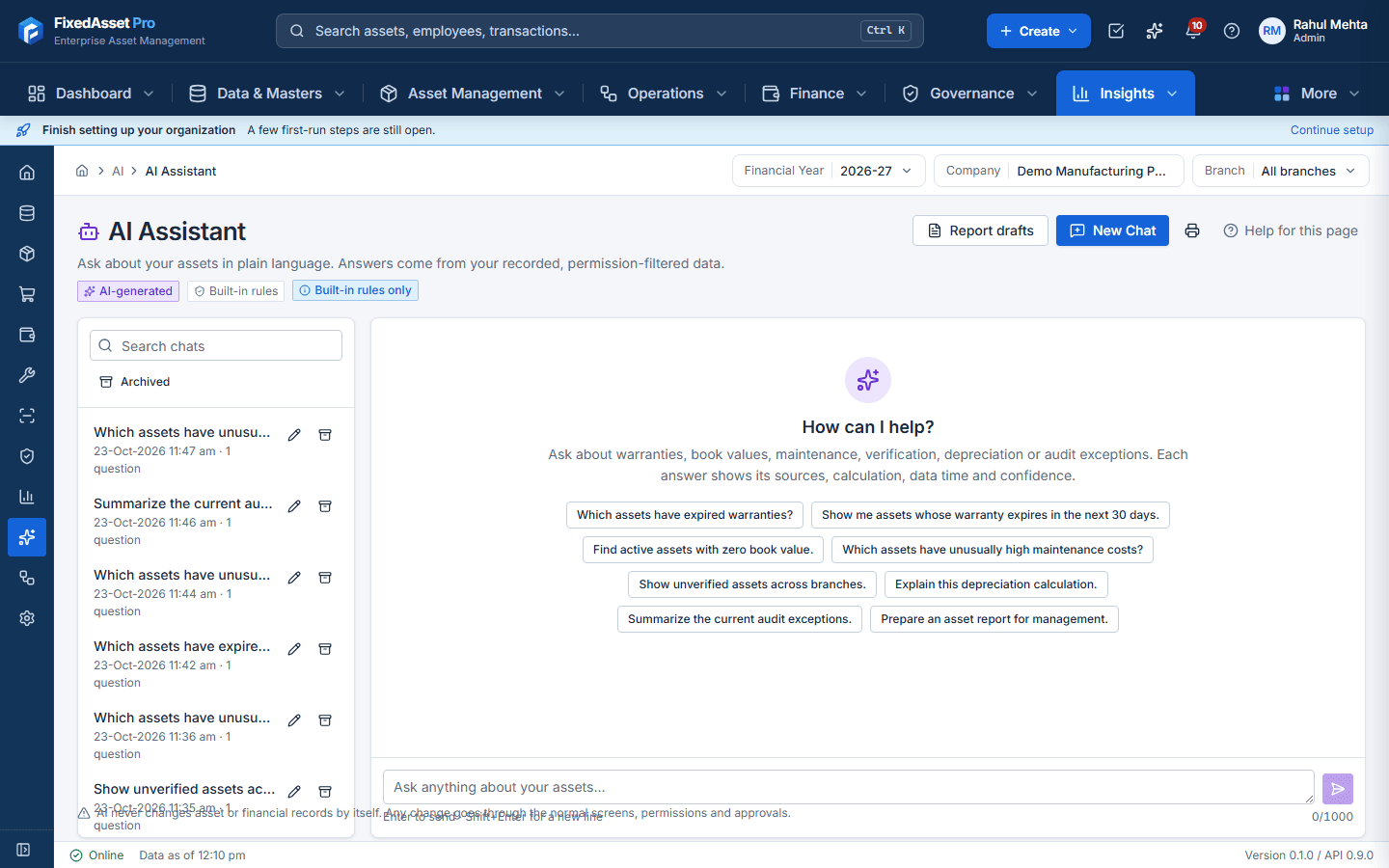
No. It reads, computes through the same permission-checked services as the screens, and explains. The one write path is a Draft asset, created by a person from a reviewed extraction, which then goes through normal approval.
Does our data leave our servers?
On the desktop edition, no: the model runs locally on your server PC. On the web edition, AI runs inside the FixedAsset Pro service; an external cloud provider stays off unless an administrator opts in, and even then it receives the question or the document text, never database rows.
What if the model is not available?
Every AI feature has a rules-based path, so nothing waits for the model. The source label on each answer says whether it came from the local AI, a cloud provider or the built-in rules.
Is the risk score a prediction?
No. It is an indicator built from age, maintenance cost, downtime, warranty, verification and book value, with its reason and evidence shown. It is never presented as a fact or a forecast.
Reporting & Analytics
How many reports are there?
Over 140 built-in reports today, grouped by asset, finance, income tax, operations, audit, masters, analytics and system, plus the reports you build yourself.
Can a report be sent automatically?
Yes, in the web edition. A schedule runs the report daily, weekly or monthly and delivers it to the chosen users; every run is kept in the schedule's history.
Can we build our own report?
Yes. The report builder works on datasets for assets, events and audit: pick columns, filters, grouping, totals and formatting, save it and share it. It runs and exports like a built-in report.
Which formats are supported?
PDF, Excel, CSV and Word for reports; dashboards are on screen. Large exports run in the background.
Contact support
Write to support@globalsynapsetech.com. Signed-in customers can also open a support request from Help in the workspace.
support@globalsynapsetech.com