
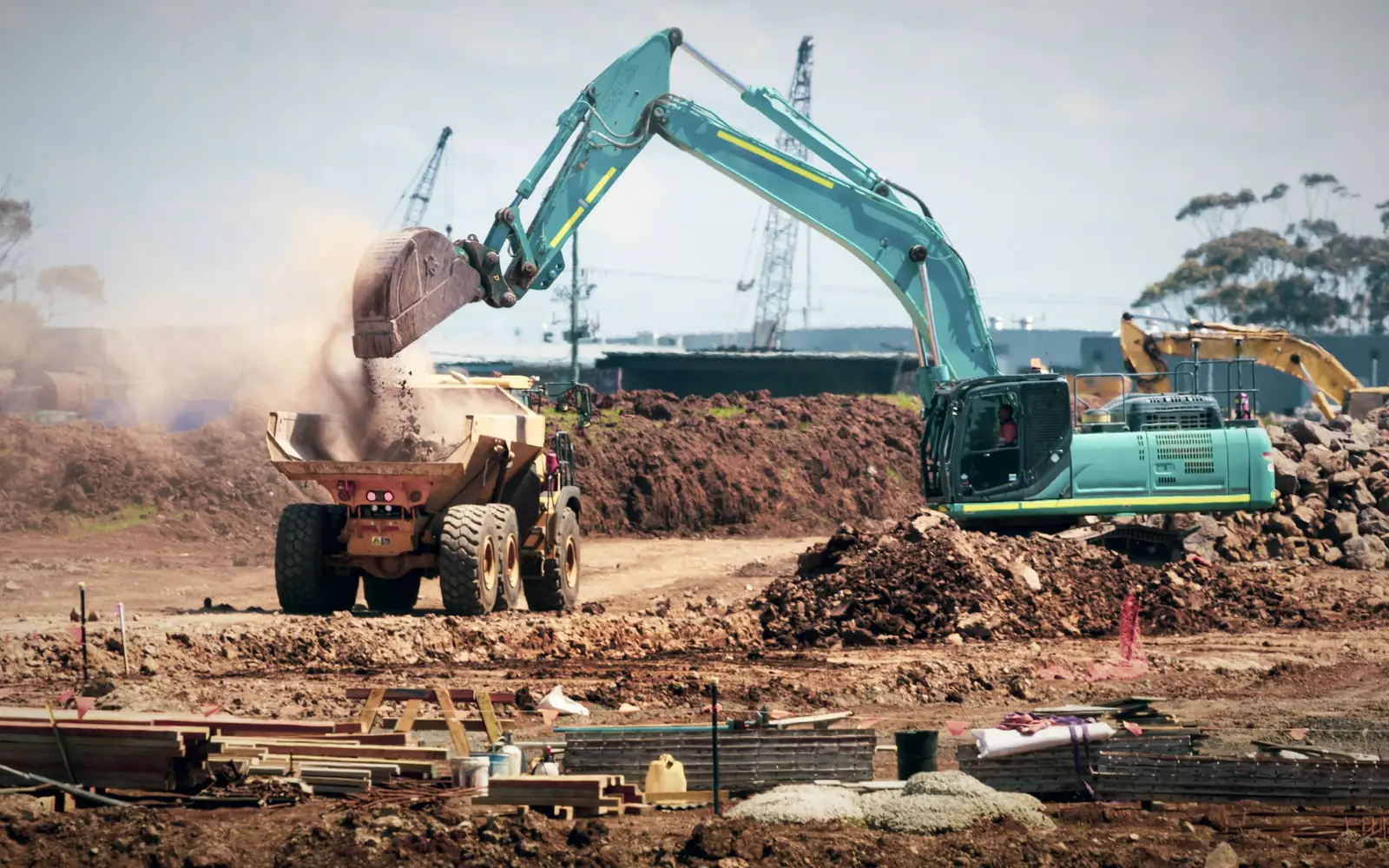
Know which site has the excavator, and what it is costing there
Construction assets never stay put. Machinery moves from one project to the next, tools are issued to crews, and a generator that was on Site A in March is on Site C by June. FixedAsset Pro records each move as an approved transfer, charges maintenance to the asset, and shows what every project has on its books.
Who this page is for
- Contractors
- Infrastructure developers
- Engineering firms
- Project owners
- Equipment-rental businesses
Common challenges
The operational and financial problems this industry brings to an asset register, and what FixedAsset Pro does about each.
- Operational
Equipment moves faster than the paperwork
A crane demobilised from one site and mobilised on another is recorded weeks later, if at all. The register shows the wrong site, and the project that used it carries none of the cost.
- Operational
Servicing by running hours is missed
Excavators and compressors are serviced by engine hours, not calendar dates. Without meter readings on the record, the 500-hour service passes unnoticed until the breakdown.
- Operational
Tools issued to crews disappear
Drills, survey instruments and power tools are handed out at the site store and rarely signed back in. At project close-out nobody knows what went to the next site and what went missing.
- Financial
Utilisation decides hire-or-buy, but is unknown
Whether to buy a second paver or hire one depends on how many days the first was actually working. That number is usually a guess from the site diary.
- Financial
CapEx by project is a separate workbook
Equipment purchases for a project are budgeted in one sheet, ordered in another and capitalised at year-end. Budget against spend per project is reconstructed, never read off.
- Financial
Disposal at project end is informal
Worn equipment is sold or scrapped at demobilisation with a handshake. The gain or loss, the removal from the Income-tax block and the register entry all happen later, if they happen.
Asset categories you can track
Categories, lives and depreciation rates are configurable; these are the ones this industry usually needs.
- Heavy machinery
- Vehicles
- Construction tools
- Power equipment
- Survey instruments
- Site infrastructure
Applicable workflows
Each workflow is a product area; the link opens the feature page.
Mobilise and demobilise as approved transfers
Each site is a location and each project a cost centre. Moving a machine between them is a transfer with an approval chain by type, amount and branch, so the register and the site agree on the same day.
Asset LifecycleServicing by engine hours
Preventive schedules by meter raise their own work orders when the hours fall due; breakdowns are reported from a scanned tag, and work orders record parts, cost and downtime against the machine.
Maintenance & AMCCapEx budget per project
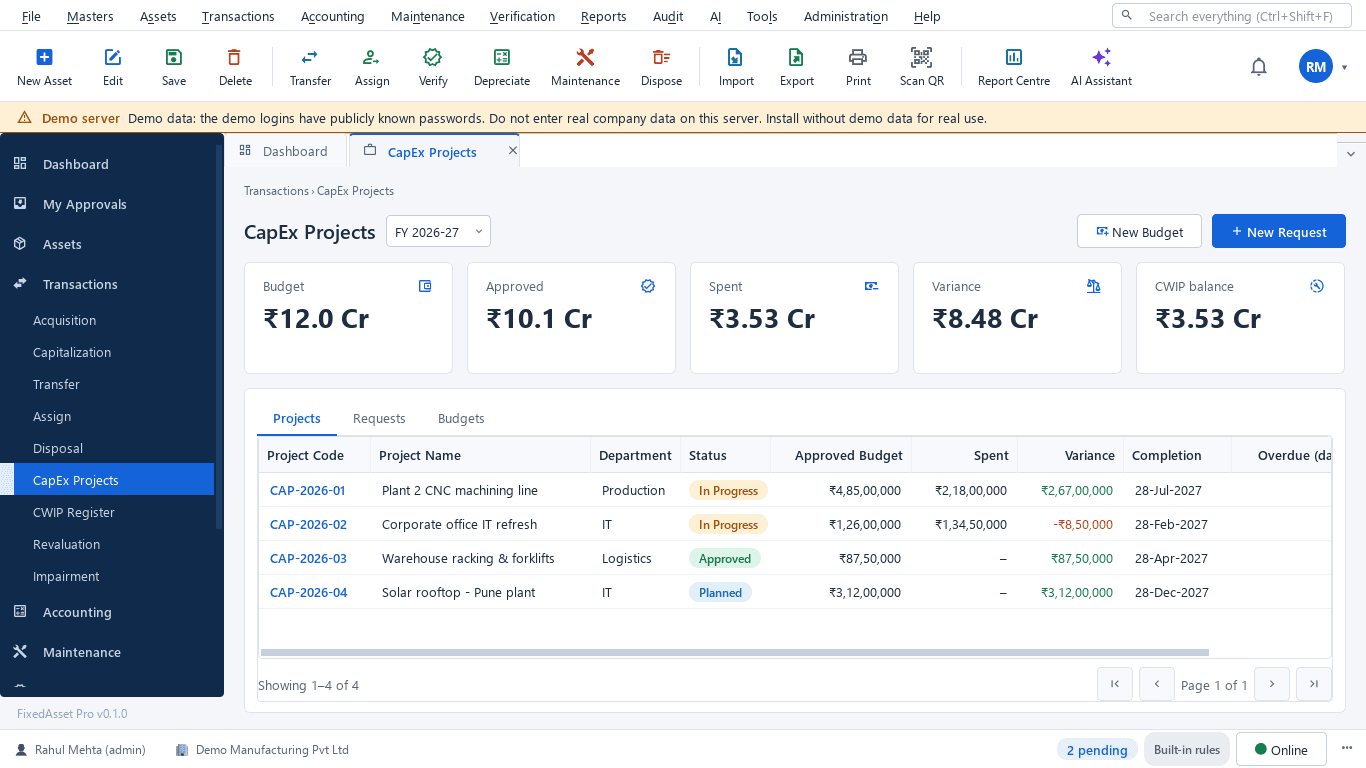
Budget equipment purchases by project, raise requests and approve them, and watch approved against spent and the variance on the CapEx Projects screen.
Procurement & CapExSite counts at hand-over and close-out
Scope a campaign by site, scan the tags with a USB scanner or webcam, and resolve missing and found-elsewhere assets into transfers or write-offs before the crew leaves.
Physical VerificationDisposal with gain or loss, on both books
Full or partial disposal by sale, scrap or write-off, with technical, finance and management review, the gain or loss computed, and the asset removed from its Income-tax block.
Depreciation
Key features
Projects and sites as cost centres and locations
Assets by Cost Centre and Assets by Location report what each project and each site holds, with cost and book value, as of any date.
Meter-based preventive maintenance
Schedules by time or meter reading; the maintenance dashboard shows open work orders, downtime, MTBF / MTTR, availability and PM compliance per branch.
Printable issue and return
Assigning a tool to a crew member prints a handover and an employee acknowledgement; return to store is recorded, and the Employee Asset Acknowledgement report lists what each person holds.
Rugged tag options
QR, barcode, Data Matrix and RFID labels from the register, with reprint and replace when a label is lost on site and a full tag history.
Idle and replacement reviews
The Idle Assets (In Store) report shows equipment sitting in the yard; Replacement Intelligence lists machines past their life or costly to maintain, with the reason for each. A review list, never an automatic decision.
Insurance and claims per machine
Policies, endorsements and claims are recorded against the covered machines, with coverage gaps shown and the Insurance Expiry report for renewals.
CapEx projects for the year
A real screen of the desktop edition, captured on a demo server. The figures are sample data, not customer data.
What this screen shows
- Budget, approved and spent for the year
- Variance against the approved budget
- CWIP balance
- Projects by department with status
- Approved budget, spent, variance and completion date per project
Typical buyers and users
Plant and machinery manager
Where every machine is today, who signed for it, and which site it is charged to.
Solution for the Plant and machinery managerProject manager
Equipment availability on the site, services due by hours, and the CapEx budget against spend for the project.
Solution for the Project managerCFO or finance head
Book value by project, CWIP ageing, disposals with gain or loss, and depreciation that reconciles to the ledger.
Solution for the CFO or finance headProcurement manager
Requests and purchase orders against the project budget, receipts at the site, and invoices matched before capitalisation.
Solution for the Procurement manager
Deployment considerations
The desktop edition is available today for a single PC or an office LAN; the cloud-hosted web edition and the mobile app are available too. All start with your real company, never demo data.
- Desktop editionAvailable now
Runs today on a server PC at head office or a regional office, with client PCs at site offices on the company network. Tags are scanned with USB scanners or webcams; daily work needs no internet.
- Web editionAvailable now
Suits contractors with many live sites: approvals for transfers and requests from any office, a Branch context bar per region, and executive dashboards across projects in a browser.
- Using bothSame rules, same engine
A head office that starts on desktop keeps its register; both editions share the same transfer approvals, depreciation engine and audit trail. Counting on a phone at the site is a companion of the web edition only.
Frequently asked questions
Can we track which project an asset is charged to?
Yes. Projects are cost centres and sites are locations. A move between them is an approved transfer, and the Assets by Cost Centre and Assets by Location reports show what each project and site holds as of any date.
Can servicing be scheduled by engine hours?
Yes. Preventive schedules can be based on time or on a meter reading, and the work orders are raised automatically when the hours fall due. See Maintenance & AMC.
How do we handle tools issued to a crew?
Assign the tool to the employee; a printable handover and acknowledgement is produced, the custodian is locked on the record until a transaction moves it, and return to store is recorded. Custodians can also confirm what they hold.
What happens when a machine is sold at the end of a project?
A disposal transaction records sale, scrap, donation or write-off, full or partial, with technical, finance and management review, the gain or loss and the disposal journal. The asset leaves its Income-tax block under s.50 rules.
Does a rental business fit this?
The register, transfers, meter-based maintenance, insurance and verification apply to a rental fleet in the same way. Hire billing is not a feature of FixedAsset Pro; the register integrates with your accounting system through ledger mapping or the REST API.
Can we see CapEx budget against spend per project?
Yes. The CapEx Projects screen shows budget, approved, spent, variance and the CWIP balance for the year, and each project with its approved budget, spent and completion date. See Procurement & CapEx.
Guides and articles
Published articles tagged for this industry.
Capital work-in-progress: ageing, overdue projects and getting the capitalisation date right
CWIP is where cost waits until an asset is ready for use. Too long there and the Schedule III ageing exposes it; too short and depreciation starts on an asset that is not ready. How to manage CWIP through the year.
Schedule III disclosures for property, plant and equipment: what the notes must show
The fixed asset note is more than a roll-forward. Since the 2021 amendments, Schedule III also asks about title deeds, registered valuers, CWIP ageing and benami proceedings. A walk through what goes in, and where the data comes from.
Other industries
All industries Manufacturing
 Pharmaceutical & Life Sciences
 Healthcare & Hospitals
 Information Technology
 Banking & Financial Services
 Retail
 Wholesale & Distribution
 Logistics & Warehousing
 Education
 Government & Public Sector
 Real Estate & Facilities
 Energy & Utilities
 Telecommunications
 Hospitality
 Automotive
 Media & Entertainment
 Agriculture & Food Processing
 Professional Services
 Multinational Enterprises
See FixedAsset Pro on your own equipment fleet
Start a free trial, or book a demo and bring your plant list, your site allocations and last year's CapEx sheet.