

The fixed asset numbers you sign, with the working behind them
Fixed assets are often the largest number on the balance sheet and the one the CFO can least explain line by line. FixedAsset Pro keeps gross block, accumulated depreciation, CWIP and disposals on the same records the auditor will test, so the figure on the dashboard and the figure in the Schedule III are the same figure.
The questions this role asks
- What is our gross block and net book value today, by company and category?
- How much CapEx is approved, spent and still sitting in CWIP, and for how long?
- Does the register agree with the general ledger, and if not, where is the difference?
- What did we dispose of this year, and at what gain or loss?
- Will the depreciation charge hold up when the auditor recomputes it?
A typical workflow
In order, with the product area behind each step.
Read the position
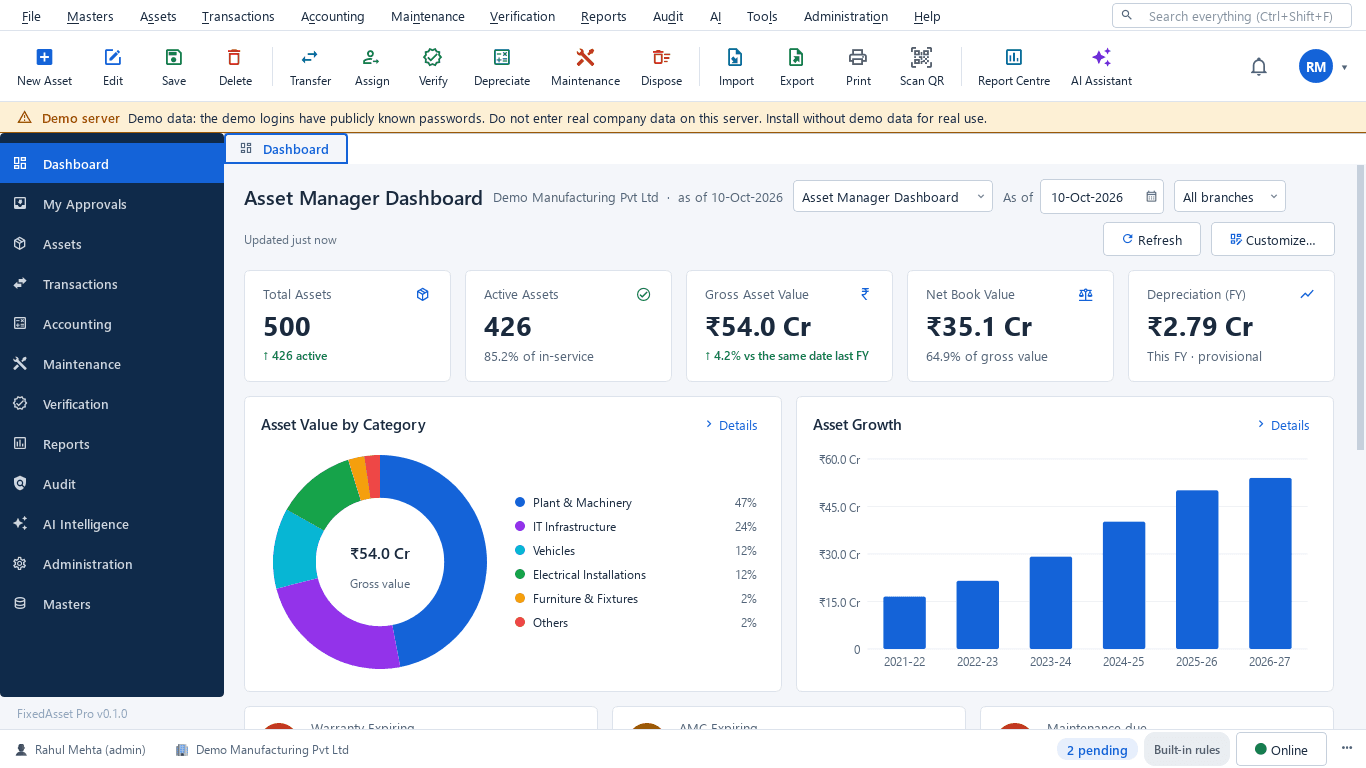
The CFO dashboard shows gross block, accumulated depreciation, net book value, additions and disposals for the year and company in the context bar.
Reporting & AnalyticsReview CapEx and CWIP
Budget against approved and spent per branch, open CWIP projects and their ageing in Schedule III buckets, and what is ready to capitalise.
Procurement & CapExApprove what crosses your limit
Large requests, capitalisations, revaluations and disposals reach you through approval chains set by amount and type.
Asset LifecycleCheck depreciation
Companies Act and Income-tax books side by side, with Explain on any asset's figure and the comparison that feeds the deferred-tax working.
DepreciationReconcile to the ledger
Register, ledger and depreciation per account as at a date, with drill-down to the asset and differences turned into explained items or exceptions.
Financial ManagementSign off the period
The close checklist shows what still blocks the period; once closed, back-dated transactions are refused and the year can be locked.
Financial Management
Outcomes the platform is designed to support
Outcomes depend on how your organisation uses the product; we do not promise savings or percentages.
One figure, one source
The dashboard, the Schedule III and the depreciation register are computed from the same records, so there is no second spreadsheet to reconcile.
CWIP that is explained
Each CWIP balance belongs to a project with its costs and ageing, so a long-open balance is visible before the auditor asks.
Fewer surprises at year-end
Reconciliation can run monthly, so differences are found while they are still small and recent.
Decisions with evidence
Replacement reviews show age, maintenance cost, downtime and book value together, so a replace-or-keep decision has its reasons on record.
Reports this role opens most
- Fixed Asset Schedule (Schedule III)
- Book Value Report
- Asset Additions
- Asset Disposals
- Gain / Loss on Disposal Summary
- Capital Work in Progress
- Depreciation Forecast
- Companies Act vs Income-tax Depreciation
- Deferred Tax Working
Frequently asked questions
Can I see all companies together and each one separately?
Yes. The Year · Company · Branch context bar scopes every dashboard and report, so you can read the group or a single company.
How do I know a depreciation figure is right?
Explain on any asset line shows the inputs, method, rate, days and rounding. Posted runs can be reproduced from their policy snapshot, so a historical figure never silently changes.
Does it replace our accounting system?
No. It keeps the asset sub-ledger and produces journals for your accounting system or ERP. It never creates ledgers there; you map each category to your accounts.
Can the AI summarise the position for the board?
AI report packs such as the CFO summary are available. AI-written text is labelled, and a summary is discarded if any number in it does not match the report. See AI Asset Intelligence.
Relevant guides and articles
One asset, several books: how FixedAsset Pro keeps Companies Act, Income-tax and other depreciation side by side
Indian companies depreciate the same asset at least twice: once under Schedule II and once under the Income-tax Act. Groups reporting abroad add a third. Here is how depreciation books work in FixedAsset Pro, and what each one is for.
The audit trail rule and your fixed asset register
Since 1 April 2023, companies keeping books in accounting software must use software with an audit trail that cannot be disabled, and auditors report on it under Rule 11(g). What that means for the system that holds your fixed assets.
Capital work-in-progress: ageing, overdue projects and getting the capitalisation date right
CWIP is where cost waits until an asset is ready for use. Too long there and the Schedule III ageing exposes it; too short and depreciation starts on an asset that is not ready. How to manage CWIP through the year.






See your balance sheet's largest number explained
Book a demo and bring last year's Schedule III and trial balance, or start a free trial.