
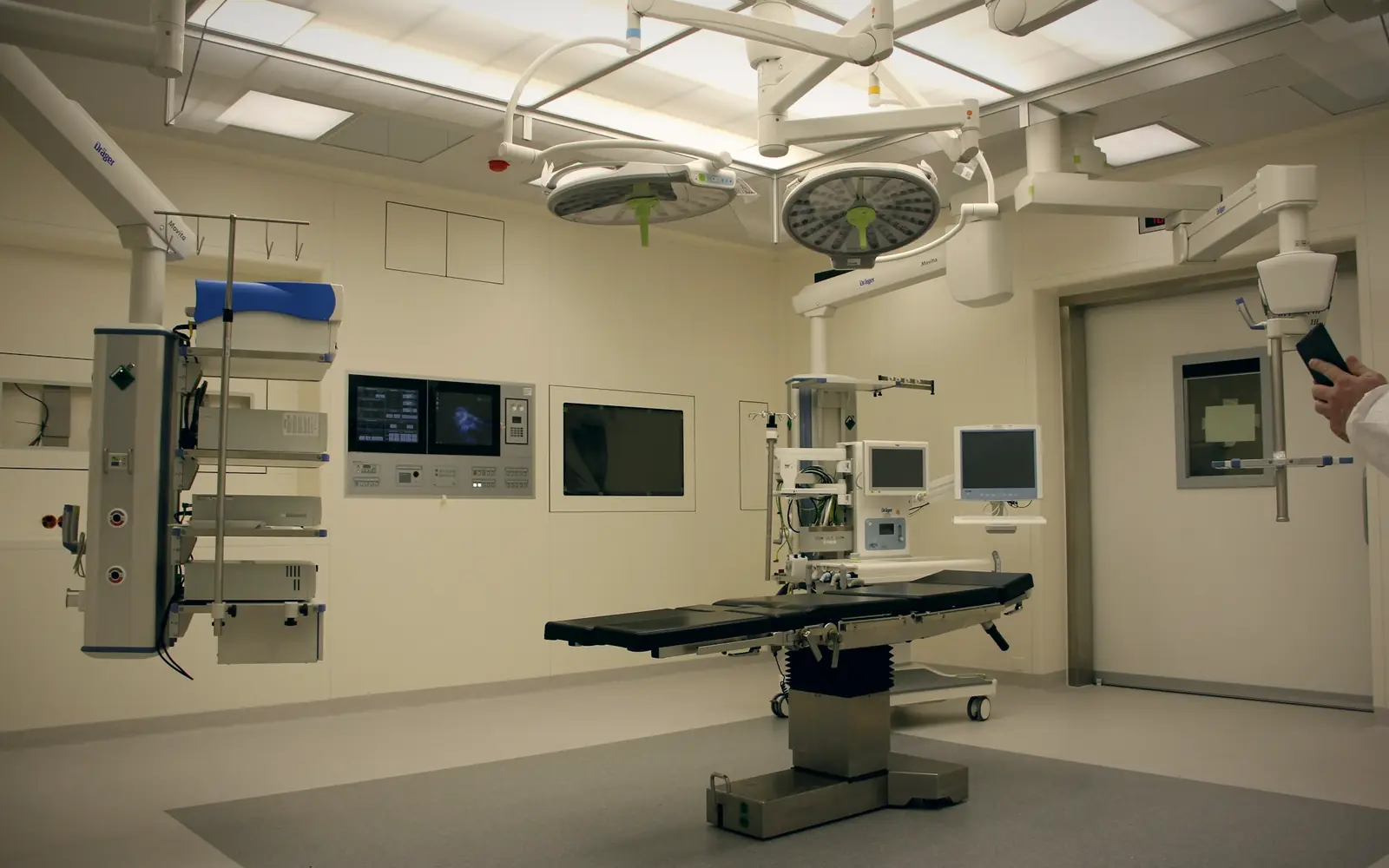
Know which equipment is available, serviced and covered
A hospital runs on equipment that has to work when the patient arrives: ventilators, monitors, imaging, lab analysers, the DG set. Biomedical engineering needs the service history, finance needs the book value, and the insurer needs the schedule. FixedAsset Pro keeps all of it on one record per device, ward by ward and hospital by hospital.
Who this page is for
- Hospitals
- Diagnostic centres
- Laboratory networks
- Healthcare groups
- Hospital finance teams
- Biomedical engineering teams
Common challenges
The operational and financial problems this industry brings to an asset register, and what FixedAsset Pro does about each.
- Operational
Equipment availability is a phone call
Whether the second ultrasound is working or the spare infusion pumps are in the store is found out by calling around. Downtime is not recorded, so availability is never measured.
- Operational
Service contracts and calibration overlap
Imaging and lab equipment carry warranties, CMCs and AMCs from different vendors, with calibration on top. Missed visits and expired cover are discovered when something fails.
- Operational
Devices move between wards
Monitors, pumps and wheelchairs travel between ICU, wards and theatres. The register still shows where they were bought for, and the annual count cannot find them.
- Financial
Expensive equipment, uneven use
A CT scanner or a cath lab is a large capital decision. Without maintenance cost and downtime against the asset, the replace-or-extend question is answered by the vendor.
- Financial
Insurance schedules do not match the floor
Equipment is added and condemned between renewals; the policy covers devices that are gone and misses new ones until a claim is made.
- Financial
Several hospitals, one balance sheet
Groups need depreciation, additions and disposals per hospital and a consolidated schedule that ties to the ledger.
Asset categories you can track
Categories, lives and depreciation rates are configurable; these are the ones this industry usually needs.
- Medical equipment
- Imaging devices
- Laboratory equipment
- Beds and furniture
- IT equipment
- Power backup systems
Applicable workflows
Each workflow is a product area; the link opens the feature page.
Breakdowns, service contracts and calibration
Report a breakdown from the register or a scanned tag; the work order records parts, cost and downtime, shows warranty or AMC cover, and calibration records carry tolerance checks and a second-person approval.
Maintenance & AMCHospitals as branches, wards as locations
Each hospital or centre is a branch; wards, theatres, labs and stores are locations, and each device has a custodian department. Users are scoped to their hospital.
Fixed Asset ManagementWard-by-ward verification
Scan the ward label, then each tag, with a USB scanner or webcam; found-elsewhere and missing queues are resolved into transfers or write-offs, with photo and comment rules per result.
Physical VerificationCondemnation and disposal
Condemning a device goes through technical, finance and management review; the disposal records the gain or loss and a disposal approval certificate, and can be reversed if made in error.
Asset LifecycleWarranty, AMC and insurance reports
Warranty Expiry, AMC Expiry, Insurance Expiry and Uninsured Assets by hospital, exported to PDF, Excel, CSV or Word for the biomedical and finance teams.
Reporting & Analytics
Key features
Availability and downtime per device
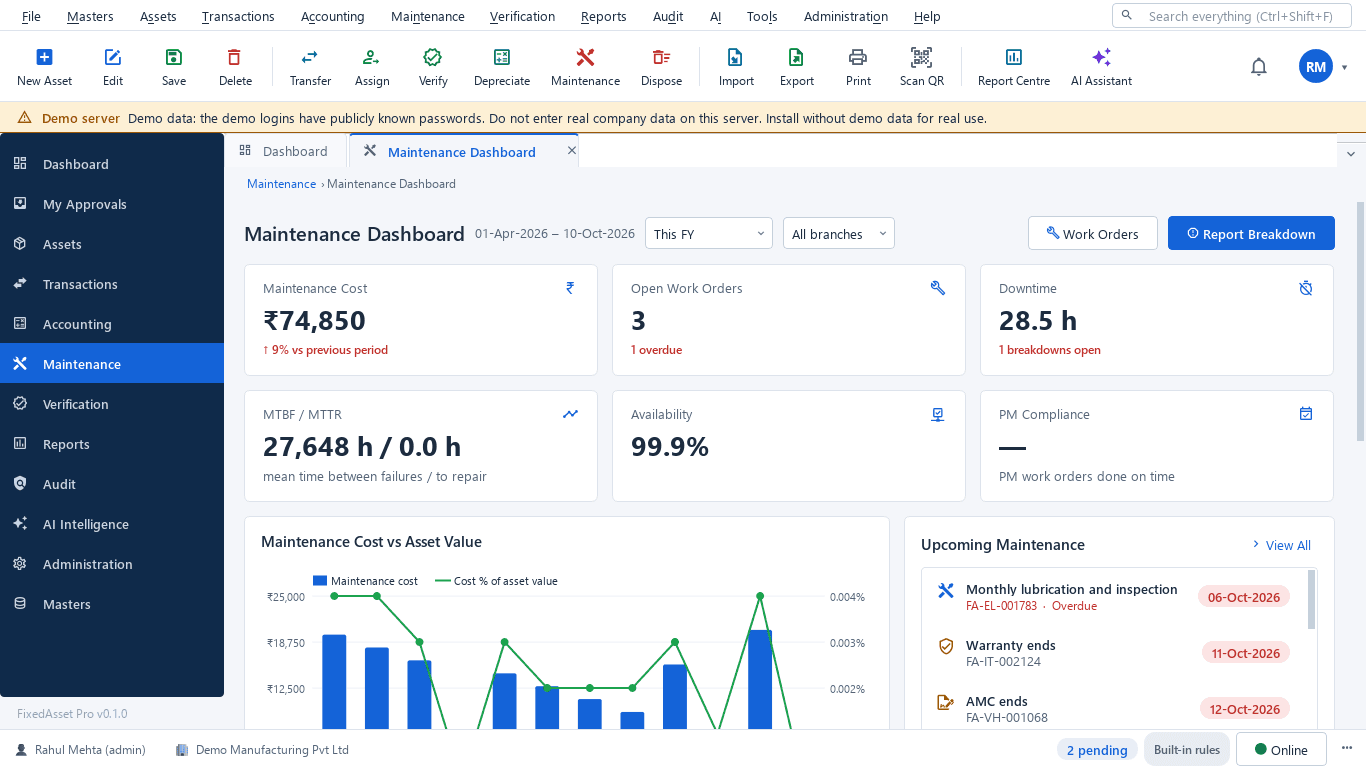
The maintenance dashboard shows downtime hours, availability, MTBF / MTTR, open and overdue work orders and PM compliance for the period and hospital you pick.
Expiry alerts at 90, 60, 30 and 7 days
Warranty, AMC and insurance cover expiries raise alerts in advance, and every work order shows whether the device is still covered.
Insurance and claims per asset
Policies, endorsements and claims recorded against the covered equipment, with coverage gaps shown before renewal.
Component accounting
Expensive parts such as an X-ray tube or an MRI coil can be components with their own cost and life, so a replacement is accounted for cleanly.
Replacement Intelligence
A review list of devices past their useful life, costly to maintain or often down, with the evidence for each. A review list, never an automatic decision.
Invoice to asset
Document Intelligence reads the supplier invoice or warranty certificate and drafts the asset with a confidence chip per field; a person confirms every value.
The maintenance dashboard for a hospital
A real screen of the desktop edition, captured on a demo server. The figures are sample data, not customer data.
What this screen shows
- Maintenance cost against the previous period
- Open and overdue work orders
- Downtime hours and open breakdowns
- MTBF / MTTR and availability
- PM compliance
- Upcoming maintenance, warranty and AMC end dates
Typical buyers and users
Biomedical engineering head
Which devices are down, which service visits were missed, calibration due dates, and the equipment that costs the most to keep running.
Solution for the Biomedical engineering headHospital CFO
Net book value per hospital, capital spend against budget, insurance that matches the floor, and replacement decisions backed by figures.
Solution for the Hospital CFOAsset or stores manager
Where every movable device is, transfers between wards recorded, and an annual count that finishes.
Solution for the Asset or stores managerInternal auditor
Verification evidence per hospital, condemnations approved with reasons, and the register reconciled to the ledger.
Solution for the Internal auditor
Deployment considerations
The desktop edition is available today for a single PC or an office LAN; the cloud-hosted web edition and the mobile app are available too. All start with your real company, never demo data.
- Desktop editionAvailable now
Runs today on a server PC in the hospital network, with client PCs in biomedical engineering, stores and finance; daily work needs no internet and local AI stays on your server.
- Web editionAvailable now
Suits healthcare groups with several hospitals and centres: one browser login with a Branch context bar, approvals from anywhere, and ward counts through the companion mobile app.
- Using bothSame rules, same engine
A hospital that starts on desktop keeps its register; both editions share the same depreciation engine, approval chains and audit trail.
Frequently asked questions
Can we see equipment availability, not just cost?
Yes. Work orders record downtime against the device, and the maintenance dashboard shows downtime hours, availability and MTBF / MTTR. See Maintenance & AMC.
Can a device have a warranty, an AMC and insurance at the same time?
Yes. Warranty, AMC and insurance are separate records on the asset card, each with its own dates and alerts, and work orders show which cover applies.
Does FixedAsset Pro handle patient data?
No. It is a fixed asset register: devices, locations, costs, maintenance and documents. It does not store patient records, and the QR on a tag carries only a secure identifier.
How do we handle equipment moving between wards?
Record the move as a transfer between locations or departments, with approval if you configure one. The verification campaign shows found-elsewhere items so the register can be corrected.
Can we condemn and dispose of old equipment?
Yes. Full or partial disposal by sale, scrap, donation or write-off, after technical, finance and management review, with the gain or loss and a disposal approval certificate.
Guides and articles
Published articles tagged for this industry.
Tagging the awkward ones: a field guide for assets that resist a label
Laptops and chairs are easy. Hot machines, sterilised equipment, vehicles, moulds at a vendor's site and land are not. A practical, asset-by-asset guide to tagging and verifying what does not take a sticker well.
Other industries
All industries Manufacturing
 Pharmaceutical & Life Sciences
 Information Technology
 Banking & Financial Services
 Retail
 Wholesale & Distribution
 Logistics & Warehousing
 Education
 Government & Public Sector
 Real Estate & Facilities
 Construction & Infrastructure
 Energy & Utilities
 Telecommunications
 Hospitality
 Automotive
 Media & Entertainment
 Agriculture & Food Processing
 Professional Services
 Multinational Enterprises
See FixedAsset Pro on your own equipment register
Start a free trial, or book a demo and bring one hospital's equipment list and your AMC schedule.