
One register for every asset, with its whole history.
Code, location, custodian, cost and book value in one list. An asset card with about 17 tabs. Tags, labels and scanning. A guided import that never loads a file half-way.
What you get
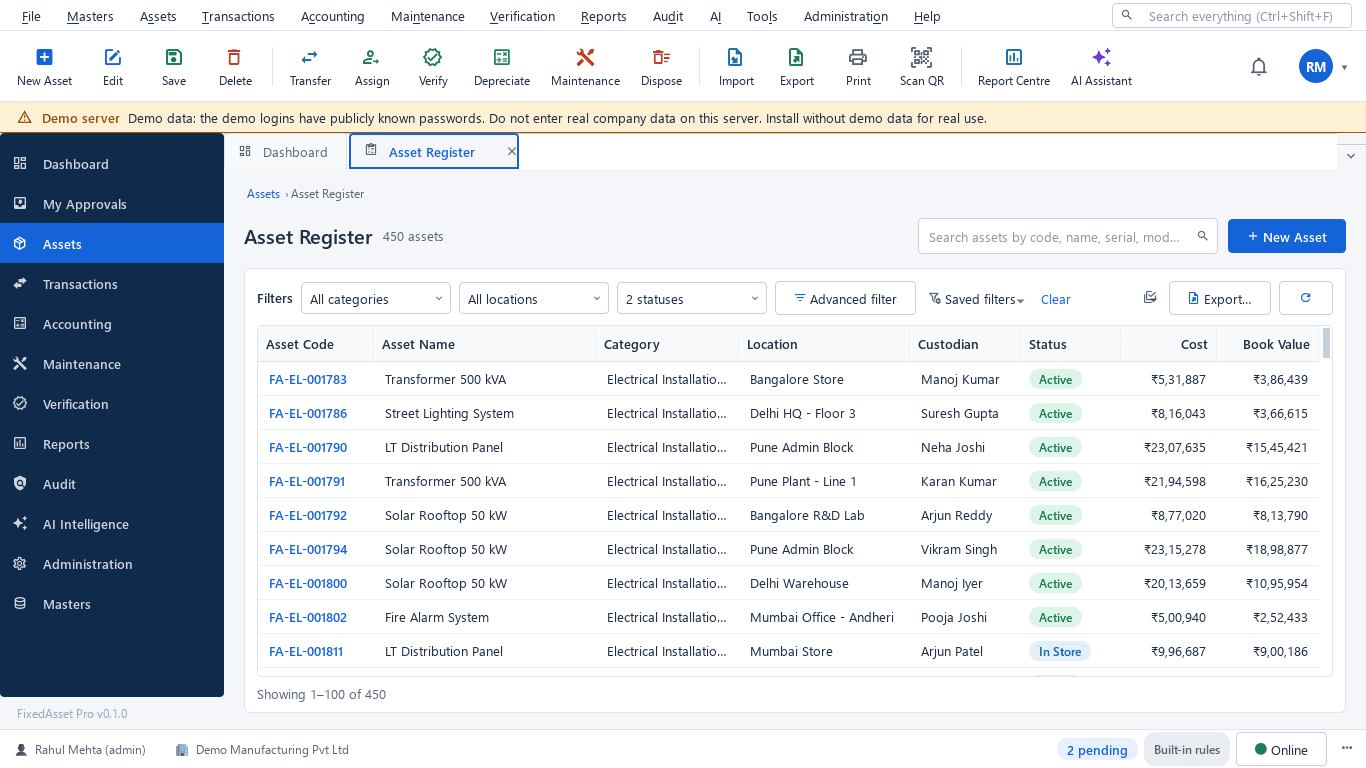
The register
Code, name, category, location, custodian, status, cost and book value in one list. Multi-select filters, advanced AND / OR filters, saved and shared filters, and an export of any list to Excel, CSV or PDF; large exports run in the background.
Global search
One search box across assets, serial numbers, tags, invoices, purchase orders, goods receipts, employees and vendors.
The asset card
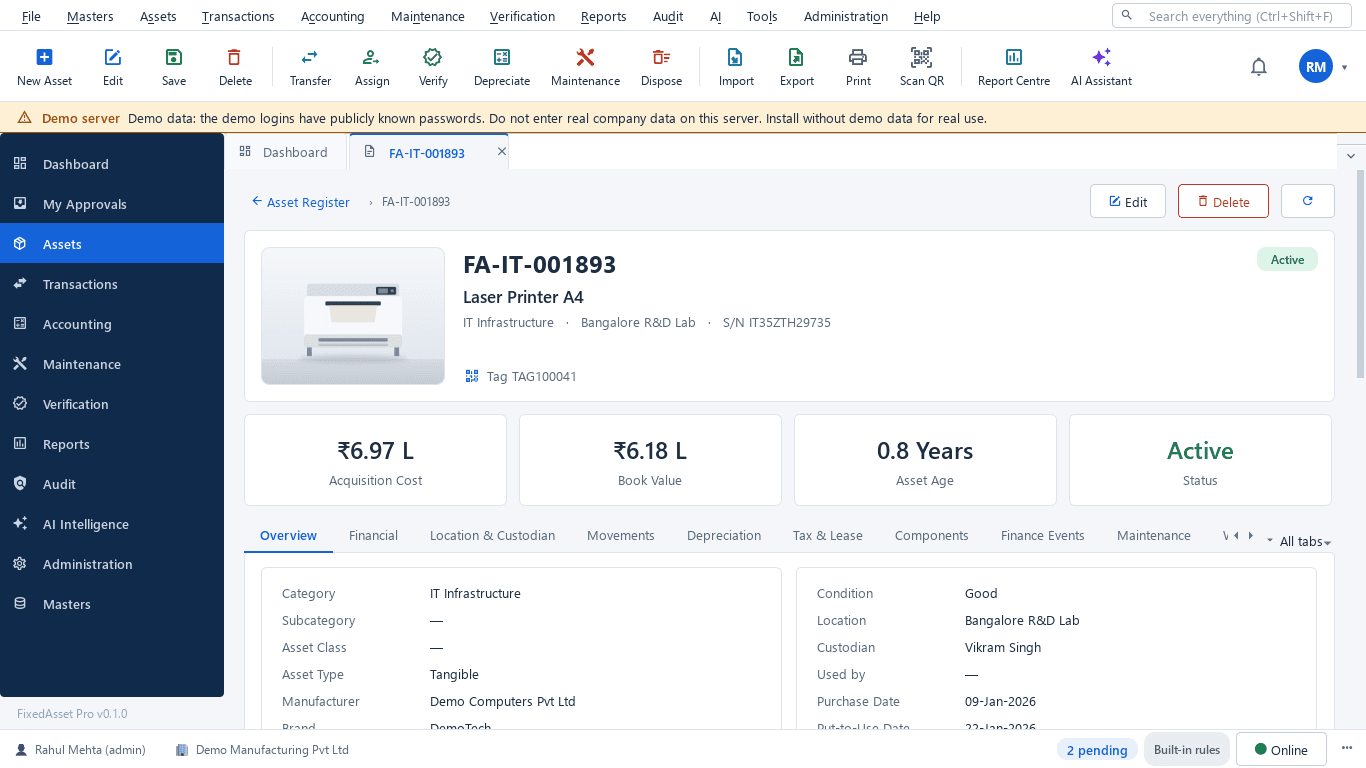
About 17 tabs on one record: financial, depreciation, components, maintenance, warranty, AMC, insurance, documents, verification, AI insights and audit. A lifecycle timeline where every document number opens the document.
Tags, labels and scanning
QR, barcode, Data Matrix and EAN-13 labels on your own label sheets; RFID EPC codes exported for your printer-encoder. Generate missing tags, print, reprint and replace with the full tag history. A QR carries a secure identifier, never sensitive data.
Import and opening balances
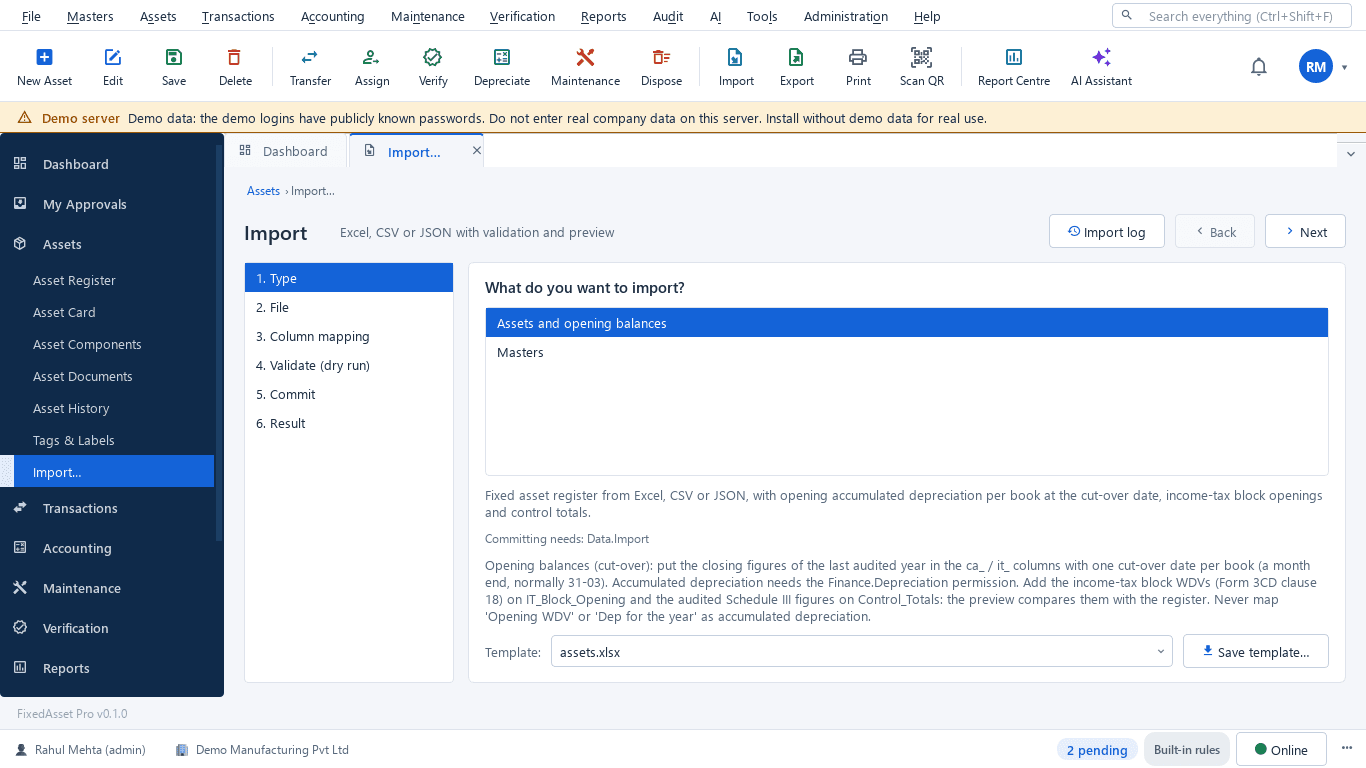
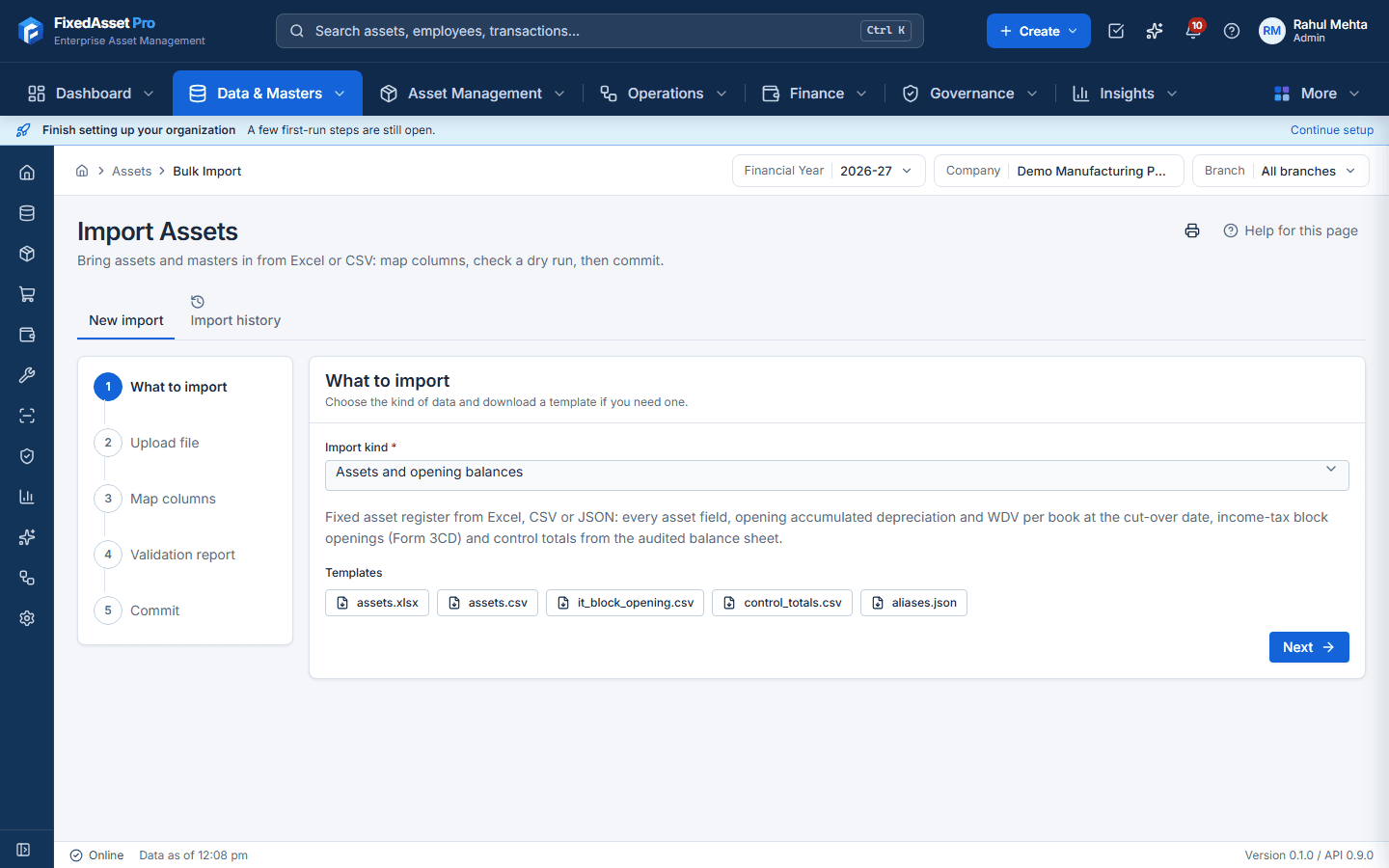
Excel, CSV and JSON through a column-mapping wizard with saved mappings. A dry run checks every row and gives a downloadable error report; the commit is all-or-nothing, so nothing is ever partly imported. Cut-over balances for both books tie to your audited Schedule III totals.
Bulk edit with a reason
Change many assets at once with a preview and a recorded reason. Every changed asset is written to the audit trail.
Identity fields that stay honest
Location, custodian and tag are locked once in use. Moves go through a transfer or assignment transaction with its approval, so the register never loses how an asset got where it is.
Custom fields and components
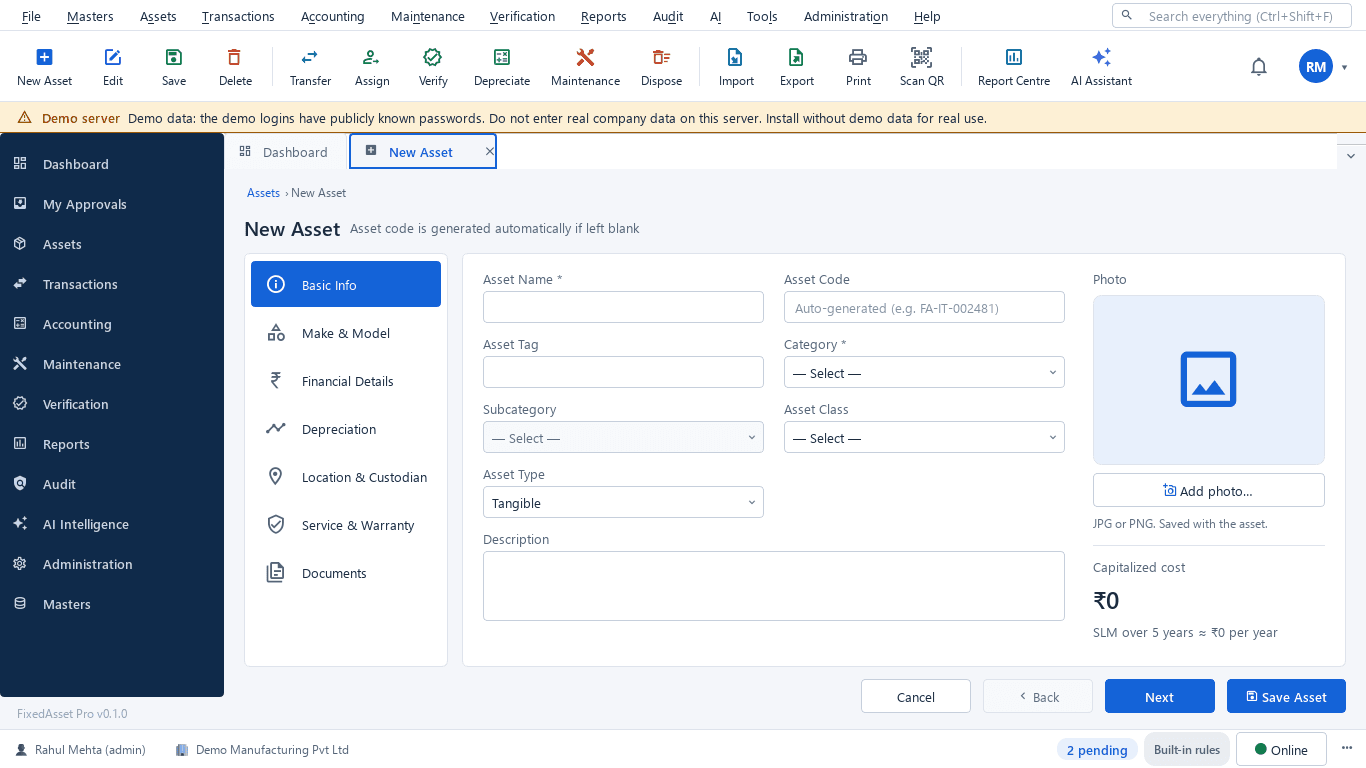
Your own fields on the asset form and card, photos and documents per asset, and component accounting for significant parts with their own useful lives.
How it works
A register that stays true from the first import to the last disposal.
Create or import
Add assets one by one, or import a register with opening balances for both books after a dry run.
Tag and label
Generate tags, print labels on your sheets and attach them; the first scan confirms the tag is in use.
Assign a custodian
Hand the asset to an employee, department or location with a printable acknowledgement.
Move through transactions
Transfers, maintenance, verification and disposal each leave a document on the asset's timeline.
Answer any question
Filters, global search, the asset card and exports give the figure and the evidence behind it.
Bring your data in
Start from the Excel register you already keep, or from CSV, scanned registers, invoices and your ledger. Every import is checked first, and nothing is written until you commit it.
Sources
- Excel workbook.xlsx · .xlsmWeb · Desktop
- CSV or JSON.csv · .jsonWeb · Desktop
- Scanned register sheetphoto · scanWeb
- Invoice, PO or GRN.pdf · images · .docx · .xlsxWeb · Desktop
- Trial balance or GL entries.xlsx · .csvWeb · Desktop
- Tally or ERP connectionconnectorWeb · Desktop
- User list.csv · .xlsxWeb
Asset import wizard · Web and Desktop
Choose what to import
Assets and opening balances, Masters, Asset book parameters or Asset usage, each with its template.
Validation · dry run, nothing written
- Row 2OK: FA-SRV-000101 · Rack server · ready
- Row 3Error:
DUPLICATEDuplicate asset code (also on row 2) - Row 4Error:
UNKNOWN_REFCategory 'FURN' not found - add it to the masters - Row 5Error:
DATE_ORDERPut-to-use 01-04-2024 is before purchase 15-04-2024 - Row 6Error:
NBV_MISMATCHNBV does not equal cost minus accumulated depreciation - Row 7Warning:
POSSIBLE_DUPLICATE_DBSame name, purchase date, cost and location as existing asset FA-IT-000214 - Row 8OK: FA-PM-000057 · CNC machining centre · ready
What it creates
- Asset register and opening balancesEvery asset field, opening accumulated depreciation and WDV per book at the cut-over date, IT block openings.
- MastersBranches, locations, departments, cost centres, categories, vendors and employees.
- Book parameters and usageMethod, life, residual and rate per book; units used per period.
- GL balances for reconciliationA committed import supersedes the previous one for the same period.
- Draft assets (after review)Created only on a reviewer's click; a Draft asset is not capitalised.
- UsersAccounts with role, branch and department.
In the product
Real screens of the desktop edition, captured on a demo server. The web edition runs the same backend rules in the browser.
Web and desktop
Which edition has it today. One backend, the same depreciation engine, approval chains and audit trail on every surface.
Web app
AvailableRegister, asset card, tags, import and bulk edit in the browser; the Year · Company · Branch bar scopes every list.
Desktop app
AvailableThe same register on Windows 10 / 11 with keyboard-first shortcuts (Ctrl+N new asset, Ctrl+Shift+F search, F9 scan) and USB-scanner or webcam scanning.
Mobile app
AvailableScan a tag to open the asset, for web edition users.
Works with
Where this feature connects to the rest of the platform, and who uses it most.
Related features
Industries
By role
Frequently asked questions
Can we bring our existing register?
Yes. Import from Excel, CSV or JSON through the column-mapping wizard. The dry run reports every problem row before anything is written, the commit is all-or-nothing, and opening balances for both books are tied to your audited totals.
How do we migrate from an Excel register?
Download the Masters and Assets templates, or keep your own columns and map them once (the mapping is saved). Import the masters first, then the assets with opening balances at a month-end cut-over date. The dry run lists every problem by row, with an error workbook to fix; you commit only when it is clean.
What can be printed on a label?
QR, barcode, Data Matrix and EAN-13 labels on your own label sheets. RFID EPC codes are exported for your printer-encoder. A QR carries a secure identifier only, never the asset's values.
What happens when a custodian or location changes?
Those fields are locked once in use. The change is made through a transfer or assignment transaction, with the approval chain you configure, and the previous state stays on the asset's timeline.
Can we add our own fields?
Yes. Custom fields appear on the asset form and the asset card alongside the standard ones.
More about Fixed Asset Management
Learn more in our guides
Moving assets between locations, branches and companies without losing the trail
A transfer looks like a change of location in the register. Depending on where the asset goes, it can also be a GST supply, a disposal by one company and an acquisition by another, and a gap in your verification. A practical guide.
Tagging the awkward ones: a field guide for assets that resist a label
Laptops and chairs are easy. Hot machines, sterilised equipment, vehicles, moulds at a vendor's site and land are not. A practical, asset-by-asset guide to tagging and verifying what does not take a sticker well.
Low-value assets: setting a capitalisation threshold after Schedule XIV
The old ₹5,000 write-off rule disappeared with Schedule XIV. Here is what replaced it in the books, why the Income-tax and GST answers differ, and how to keep control of items you expense.
See it on your own register
Start a free trial of the web edition, or book a demo and we will walk through it with your data. No card is needed to begin.