

When the second branch opens, the spreadsheet stops working
Growth brings branches, more people buying and moving assets, service contracts and an auditor who asks harder questions. FixedAsset Pro adds approvals, transfers between branches, maintenance and GL reconciliation to the register, so control keeps pace with the number of assets.
- One or two companies with several branches or sites
- Hundreds to a few thousand assets, with machines or vehicles that need servicing
- A finance team that closes the books monthly or quarterly
- Purchases and transfers that need someone's approval before they happen
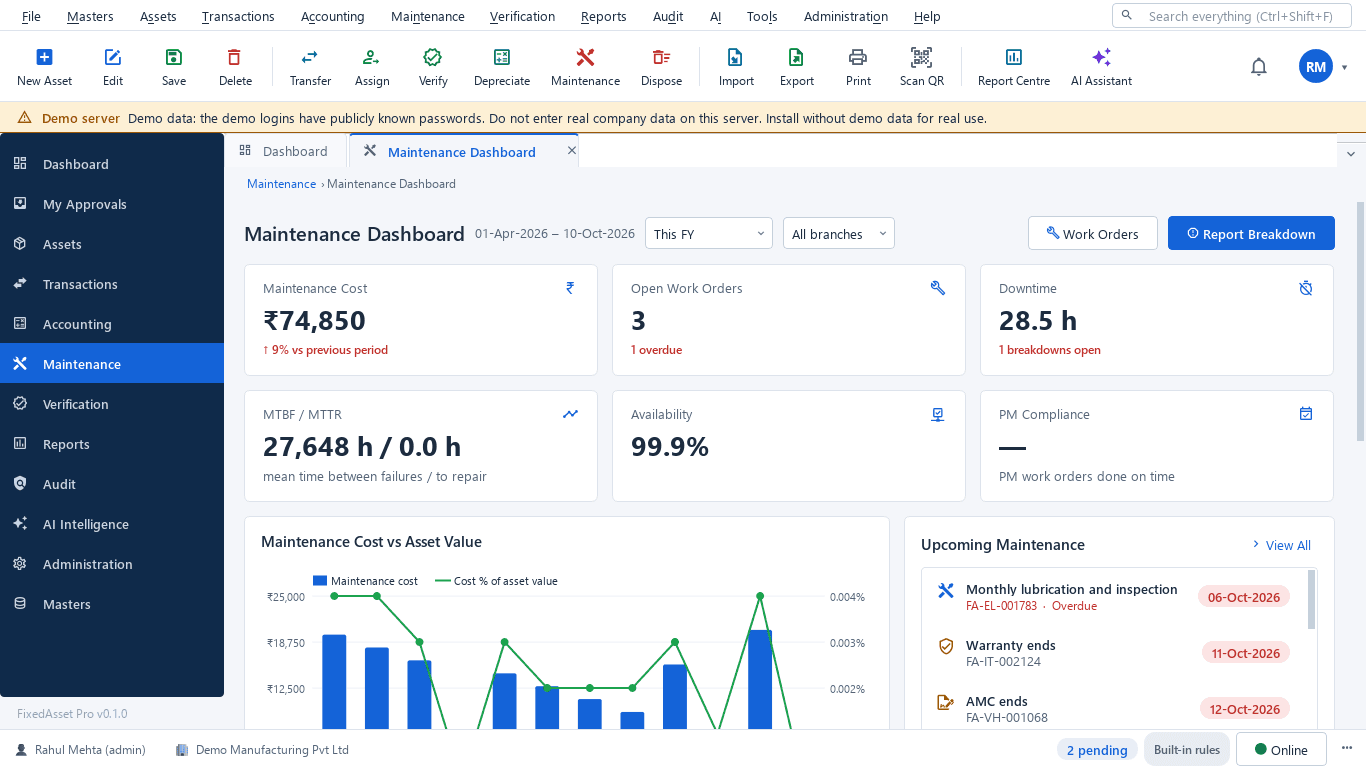
What you need, and the capability that answers it
| Need | Capability | Learn more |
|---|---|---|
| Multi-branch support | Branches and locations under one company, with a Year · Company · Branch context that scopes every list, report and dashboard. | Fixed Asset Management |
| Approval workflows | Approval chains designed by role or user, by transaction type, amount and branch, with time limits and a My Approvals queue. | Asset Lifecycle |
| Transfers that stay on record | Moves between employee, department, location or branch go through an approved transfer, so the register and the site agree. | Asset Lifecycle |
| Maintenance | Work orders, preventive schedules by time or meter, AMC contracts and warranty alerts on the same asset record. | Maintenance & AMC |
| Advanced reports | Over 140 built-in reports with presets and run history, role dashboards and a report builder for your own layouts. | Reporting & Analytics |
| Controlled accounting | GL mapping per category, a journal register and register-to-ledger reconciliation as at a date, with drill-down to the asset. | Financial Management |
Which edition fits
Web edition (available now)
Suits branches in different cities: everyone signs in from a browser, approvals happen from anywhere and the head office sees every branch on one dashboard.
Learn moreDesktop edition (available now)
Suits branches on one office network or a company that wants its data on its own server: one server PC, client PCs on the LAN, no internet needed for daily work.
Learn moreA mid-tier plan (Professional family)
Growing companies typically need more users, several branches, approval chains and the maintenance modules. Branch, user and asset limits per plan are shown on the pricing page from the live catalogue.
Plans, limits and prices are published on the pricing page from the live catalogue; nothing here is a price.
Frequently asked questions
Can each branch only see its own assets?
Yes. Roles and permissions can be scoped by company and branch, so a branch user works on their branch while finance and management see all of them.
Do approvals slow everything down?
Chains are designed by you: steps by role or user, any or all approvers, time limits, and conditions by type, amount and branch. A small purchase can need one approver and a large one three. You can test a chain before activating it.
How do transfers between branches work?
A transfer records the from and to employee, department, location or branch, goes through its approval and is kept in the asset's history. Split transfers are supported for assets held in quantity.
Can we reconcile the register to our accounts?
Yes. Import a trial balance and ledger entries from the template, or pull from Tally, and compare register, ledger and depreciation per account as at a date. See Financial Management.
We already use the register for a year. Do we lose history when we add branches?
No. Branches, approval chains and modules are added to the same organisation; existing assets and their history stay as they are.




See your branches on one register
Start a free trial, or book a demo and bring the branch list and the approvals you use today.