
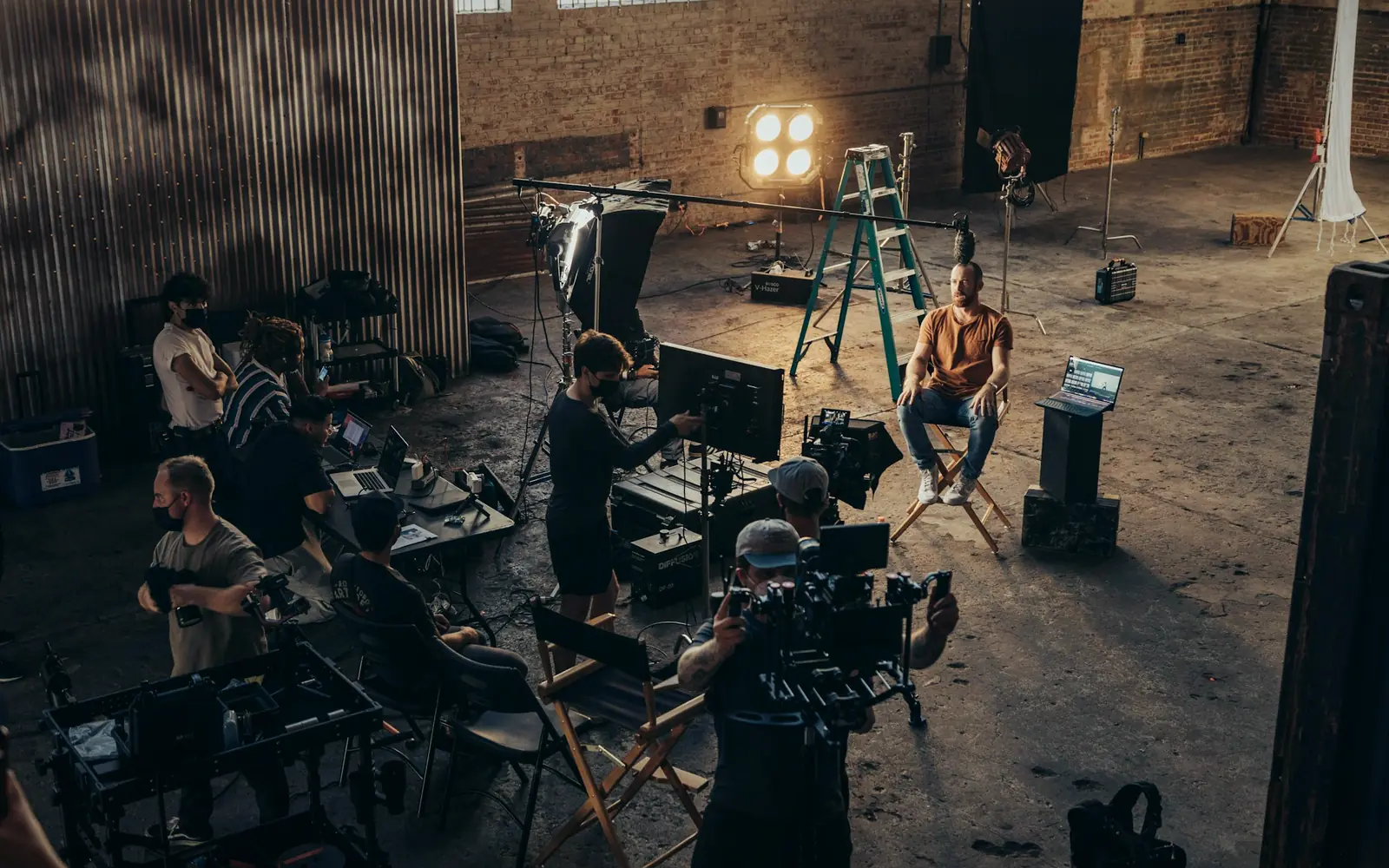
Who has the camera, since when, and who signed for it
Production equipment is small, valuable and always on the move: cameras go out on shoots, lenses are swapped between kits, audio gear is lent to a crew and comes back with a different serial. FixedAsset Pro records every handover with a signature, lets custodians confirm what they hold, and keeps the insurance and service history on the gear itself.
Who this page is for
- Studios
- Production companies
- Broadcasting organisations
- Equipment-rental businesses
Common challenges
The operational and financial problems this industry brings to an asset register, and what FixedAsset Pro does about each.
- Operational
Gear leaves without a record
Kit goes out at six in the morning on a shoot and the sign-out sheet is filled in later, if at all. When a lens is missing a month later nobody knows which production had it.
- Operational
Custody changes mid-production
A camera is handed from the operator to the assistant to the rental desk within a day. Without a custodian on the record, and a confirmation from that person, disputes are settled by memory.
- Operational
Kits are made of parts that move
A camera body, its lenses, batteries and media make a kit that is often split and recombined. Tracking the parts as components of a kit, and tracking the loose ones, is a register problem most spreadsheets cannot model.
- Financial
Insurance is per item, claims are urgent
A dropped camera is a claim with a serial, a purchase invoice and a condition history. If those are in three places the claim stalls.
- Financial
High-value kit, short lives
Cameras and computers depreciate fast and are replaced often; the Income-tax block and the Companies Act life must both be right, and disposals at trade-in need a gain or loss.
- Financial
Rental stock and owned stock blur
Rental businesses and studios that also hire in gear need owned equipment, leased equipment and hired-in items kept separate in the books.
Asset categories you can track
Categories, lives and depreciation rates are configurable; these are the ones this industry usually needs.
- Cameras
- Lighting
- Audio equipment
- Production computers
- Studio equipment
- Vehicles and cases
Applicable workflows
Each workflow is a product area; the link opens the feature page.
Assignment with a printable handover
Assigning gear to an operator or a production prints a handover and an employee acknowledgement with signature lines; location, custodian and tag are locked once in use, so changes go through a transaction.
Fixed Asset ManagementMovement between studios, sets and the rental desk
A transfer between locations, departments or branches is approved and recorded; return to store closes the loop, and the Asset Movement report shows every move in the period.
Asset LifecycleCustodians confirm what they hold
Each custodian answers With me, Not with me or Damaged for every asset assigned to them and signs; this is kept separate from physical sightings, so it never inflates verification coverage.
Physical VerificationService, warranty and insurance on the item
Work orders for repairs with parts and cost, warranty expiry alerts, and insurance policies, endorsements and claims recorded against the covered gear.
Maintenance & AMCEvidence for a claim or a dispute
Purchase invoice, photos, condition at each count and the handover history sit in the evidence vault; an evidence pack with a SHA-256 checksum can be built for the insurer.
Audit & Compliance
Key features
Scan to find and scan to hand over
QR, barcode and Data Matrix labels on the gear; scan with a USB scanner or webcam to open the record, verify it or start a transfer from the register.
Kits as parent assets with components
A camera body with its lenses and accessories can be recorded as a parent asset with components, each with its own cost and life, so parts can be replaced or re-kitted without losing history.
Employee Asset Acknowledgement report
A form per custodian listing the assets they hold, with signature lines, for the start and end of a production.
Missing and Damaged Assets report
Everything marked missing or damaged in campaigns and custodian confirmations, with the last seen date and the campaigns missed.
Fast depreciation, both books
Short Companies Act lives per category, Income-tax blocks with the 180-day rule, and disposals at trade-in with gain or loss and the disposal journal.
Lease register
Hired-in or leased equipment is recorded in the lease register with right-of-use life, kept apart from owned assets in both books.
The evidence vault for one item
A real screen of the desktop edition, captured on a demo server. The figures are sample data, not customer data.
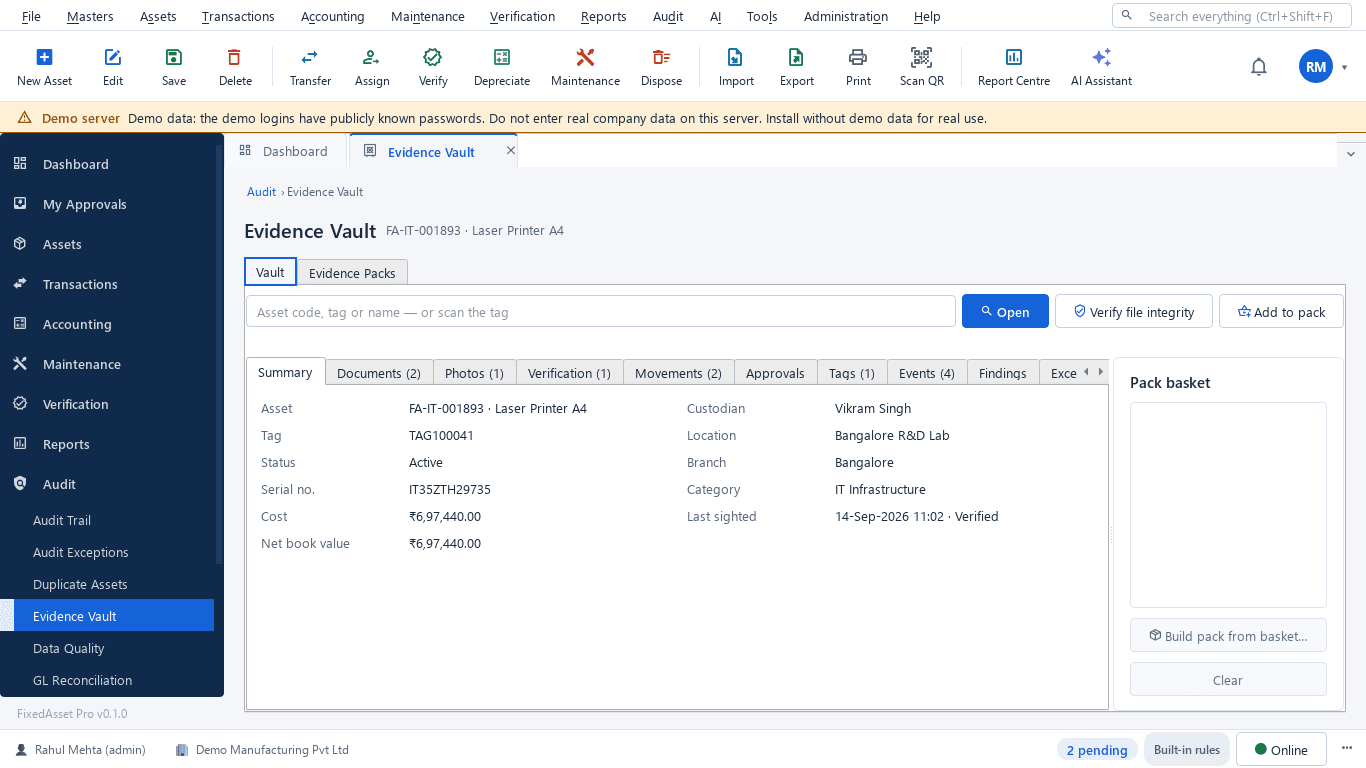
What this screen shows
- Asset summary: tag, serial, custodian, location, cost and book value
- Documents, photos and verification results
- Movements, approvals, tags and events
- Findings from data-quality and audit checks
- Pack basket to build a checksummed evidence pack
- Verify file integrity on demand
Typical buyers and users
Head of production or studio operations
What is out on which shoot, what is in for repair, and which items keep coming back damaged.
Solution for the Head of production or studio operationsEquipment or asset manager
A handover signed for every item, custodians confirming what they hold, and kits whose parts can be traced.
Solution for the Equipment or asset managerFinance manager
Short lives on both books, trade-ins with a gain or loss, owned against leased kit, and an insurance schedule that matches the register.
Solution for the Finance managerIT manager
Edit workstations and storage with warranty dates, assigned to editors, with role scoping per studio and SSO sign-in.
Solution for the IT manager
Deployment considerations
The desktop edition is available today for a single PC or an office LAN; the cloud-hosted web edition and the mobile app are available too. All start with your real company, never demo data.
- Desktop editionAvailable now
Runs today on a server PC in the studio or the rental desk, with client PCs on the same network; scanning uses USB scanners or webcams, and daily work needs no internet.
- Web editionAvailable now
Suits production companies and broadcasters with crews in the field: handovers and confirmations from anywhere in a browser, approvals on the go, and the companion mobile app to scan, verify and report a loss from the set.
- Using bothSame rules, same engine
A studio that starts on desktop keeps its register; both editions share the same transactions, custodian confirmations and audit trail.
Frequently asked questions
How is a handover recorded?
Assign the item to the custodian; a printable handover and employee acknowledgement is produced, the custodian is locked on the record until a transaction moves it, and the Employee Asset Acknowledgement report lists what each person holds. See Fixed Asset Management.
Can custodians confirm what they hold without a physical count?
Yes. Each custodian answers With me, Not with me or Damaged for every asset assigned to them and signs. This is kept separate from physical sightings so it never inflates verification coverage.
Can a camera kit be tracked as one asset with parts?
Yes. Record the body as the parent asset and the lenses, batteries and accessories as components with their own cost and life, or as separate assets if they move independently.
What do we give the insurer after a loss?
An evidence pack built from the vault: purchase invoice, photos, condition history, the handover and the loss report, with a SHA-256 checksum. Insurance policies and claims are recorded on the asset. See Audit & Compliance.
Does it fit a rental business?
The register, handovers, custodian confirmation, maintenance, insurance and verification apply to a rental fleet in the same way. Hire billing is not a feature; the register connects to your accounting system through ledger mapping or the REST API.
Can crew report a loss from the set?
Users with the right role report a loss or a breakdown from the register; employee self-service and the companion mobile app for reporting a loss from the field are part of the web edition.
Guides and articles
Published articles tagged for this industry.
Impairment indicators for fixed assets: a practical year-end review under Ind AS 36 and AS 28
You do not have to test every asset for impairment every year, but you do have to look for indicators at every reporting date. How to run that review, document it, and recognise when a full test is needed.
Other industries
All industries Manufacturing
 Pharmaceutical & Life Sciences
 Healthcare & Hospitals
 Information Technology
 Banking & Financial Services
 Retail
 Wholesale & Distribution
 Logistics & Warehousing
 Education
 Government & Public Sector
 Real Estate & Facilities
 Construction & Infrastructure
 Energy & Utilities
 Telecommunications
 Hospitality
 Automotive
 Agriculture & Food Processing
 Professional Services
 Multinational Enterprises
See FixedAsset Pro on your own equipment list
Start a free trial, or book a demo and bring your kit list, your sign-out sheet and the last insurance claim.