

From request to registered asset, without retyping anything
Capital purchases pass through procurement on their way to the register, and that is where the details get lost: the serial on the receipt, the warranty on the invoice, the budget it came from. FixedAsset Pro carries the request, the order, the receipt and the invoice into the asset record, so the register starts complete.
The questions this role asks
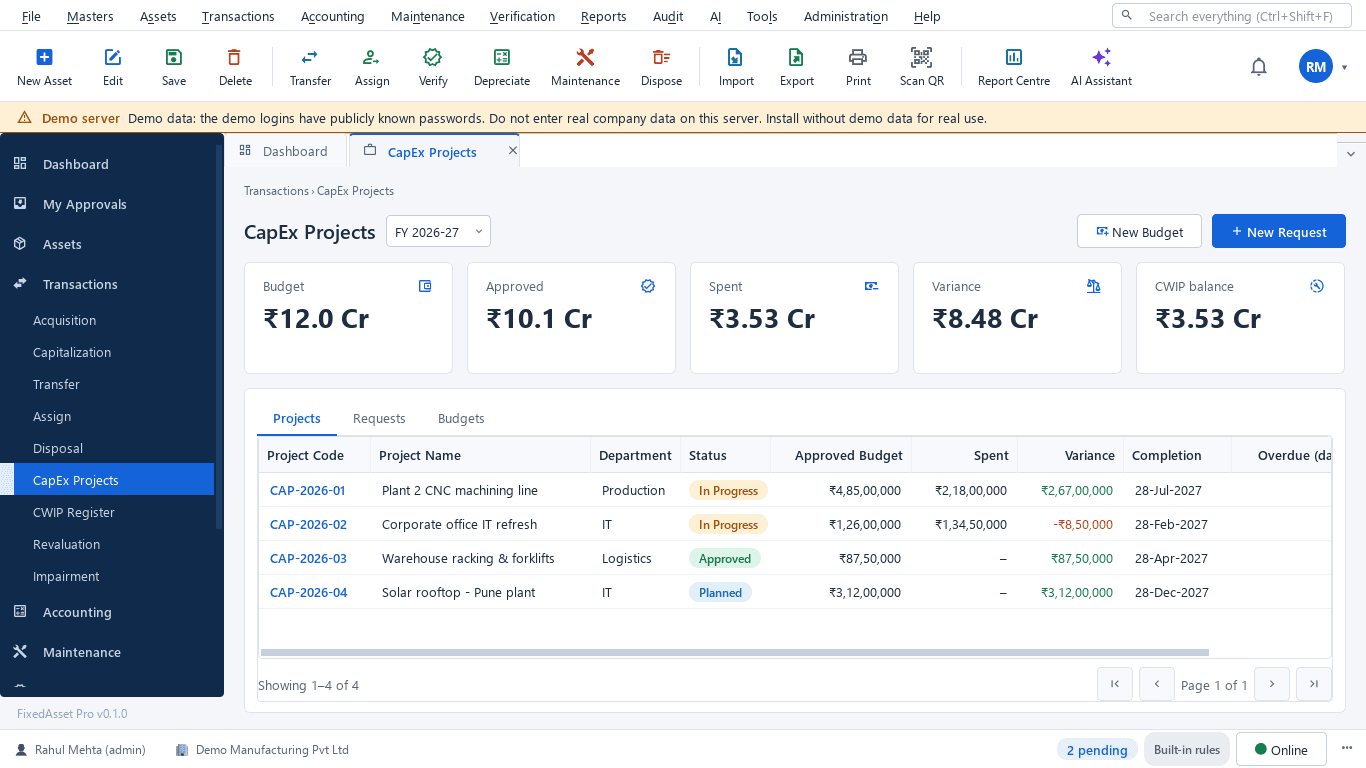
- Is this request within the approved budget for the branch?
- Which orders are partly received, and what is still open?
- Does the invoice match the order and the receipt?
- Has the received equipment passed inspection?
- Has finance capitalised what we received?
A typical workflow
In order, with the product area behind each step.
Raise the request
A CapEx request against the year's budget for the branch, approved through chains by type, amount and branch.
Procurement & CapExOrder
Raise a purchase order from the approved request with vendor, lines and taxes; close an order with a reason when needed.
Procurement & CapExReceive and inspect
Record a goods receipt per order line with an inspection result before anything is capitalised.
Procurement & CapExMatch the invoice
Match the vendor invoice to the order and receipt with GST on every line; document intelligence can read the invoice for a person to confirm.
Procurement & CapExHand over to finance
Capitalisation is prefilled from the receipt or the CWIP project and goes through approval; depreciation starts from the put-to-use date.
Financial Management
Outcomes the platform is designed to support
Outcomes depend on how your organisation uses the product; we do not promise savings or percentages.
Spending inside the budget
Approved, spent and variance per budget are visible before a request is approved.
Complete asset records
Vendor, invoice, serial, model and warranty arrive with the receipt, not months later.
Input credit captured at source
GST is recorded on each acquisition line, so eligibility is decided when the invoice is booked.
No duplicate invoices
A duplicate invoice or a low-confidence field blocks the draft until a person reviews it.
Reports this role opens most
- Asset Additions
- Assets by Vendor
- Vendor Purchase Summary
- Capital Work in Progress
- GST on Capital Goods
- High-Value Assets
Frequently asked questions
Does it replace our purchasing system?
It covers capital purchases from request to capitalisation. If you already raise orders in an ERP, the register can start from the receipt or the invoice instead.
Is the full purchase chain on both editions?
The web edition has the full chain: requests, quotations, purchase orders, goods receipts, inspections, invoices, budgets and CWIP. On the desktop edition budgets, requests and CWIP are available and the order-to-invoice chain is partial.
Can the AI create assets from invoices?
It reads the invoice into a draft asset with a confidence per field. A person confirms every value, and the draft then goes through normal approval.
Can a budget be closed mid-year?
Yes. A budget or a request can be closed with a recorded reason, and the variance stays in the reports.
Relevant guides and articles
Capital work-in-progress: ageing, overdue projects and getting the capitalisation date right
CWIP is where cost waits until an asset is ready for use. Too long there and the Schedule III ageing exposes it; too short and depreciation starts on an asset that is not ready. How to manage CWIP through the year.





Follow one purchase from request to register
Book a demo and bring a recent CapEx purchase file, or start a free trial.