Manage Every Asset.Control Every Value.Prove Every Decision.
FixedAsset Pro connects your asset register, financial accounting, maintenance, physical verification and audit evidence in one intelligent asset management platform.
- Web · Desktop · Mobile live
- AI on Web & Desktop
- Multi-country & currency
- Secure & scalable
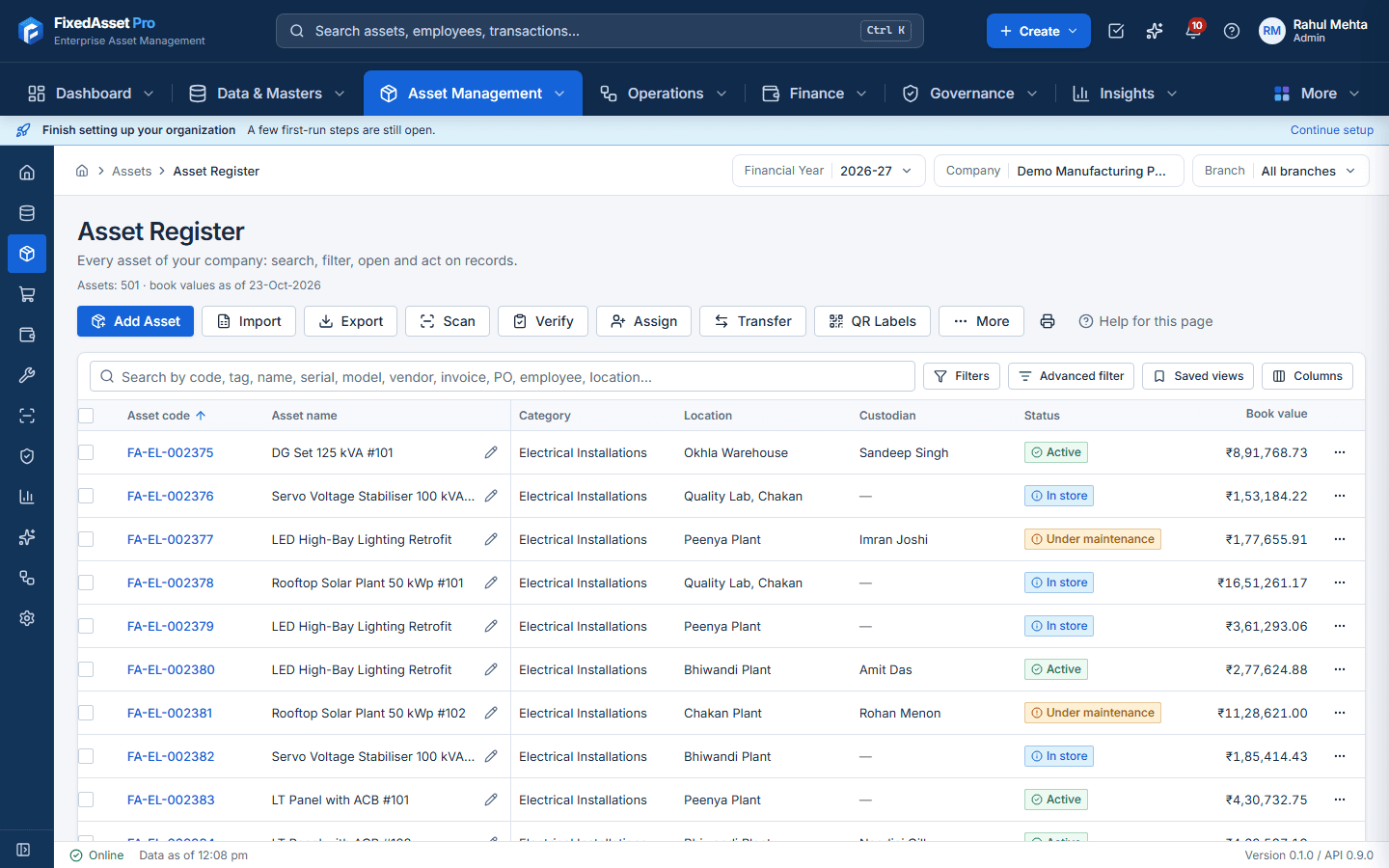
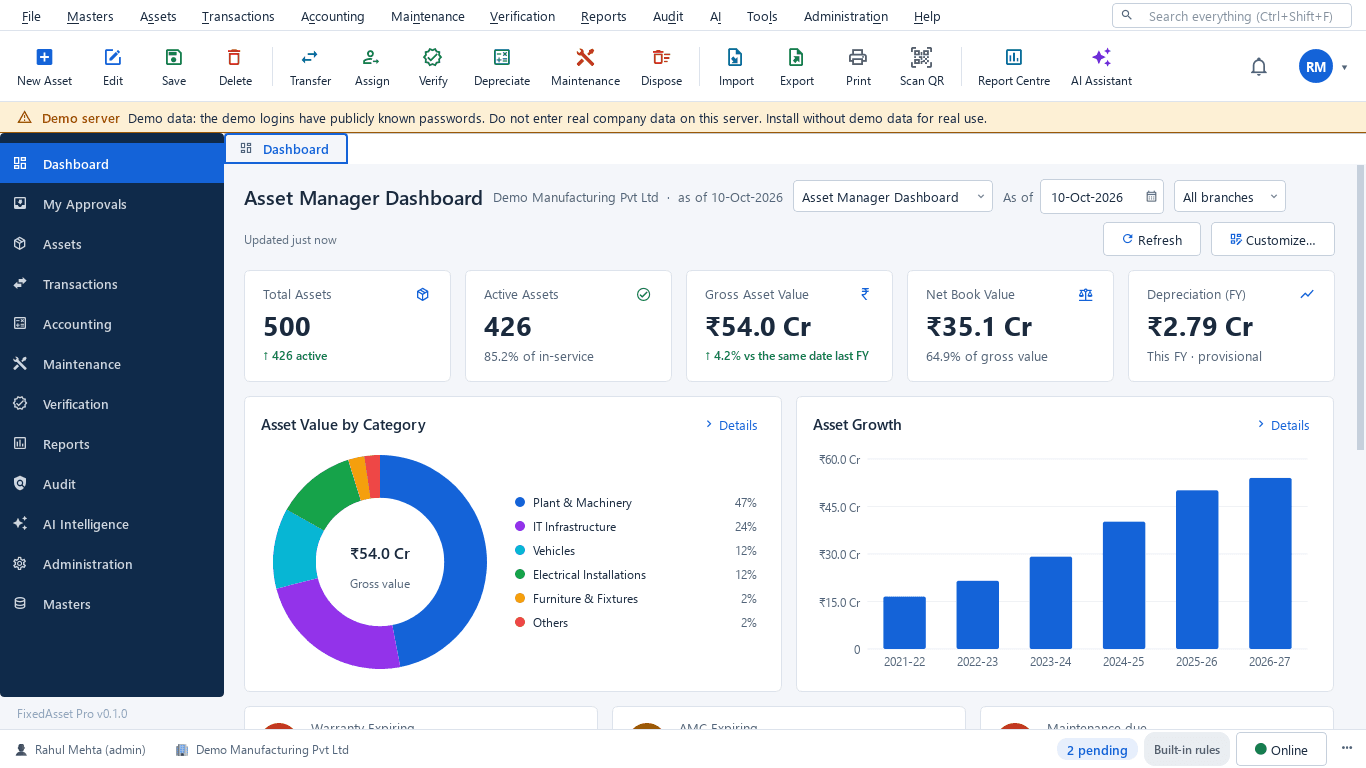
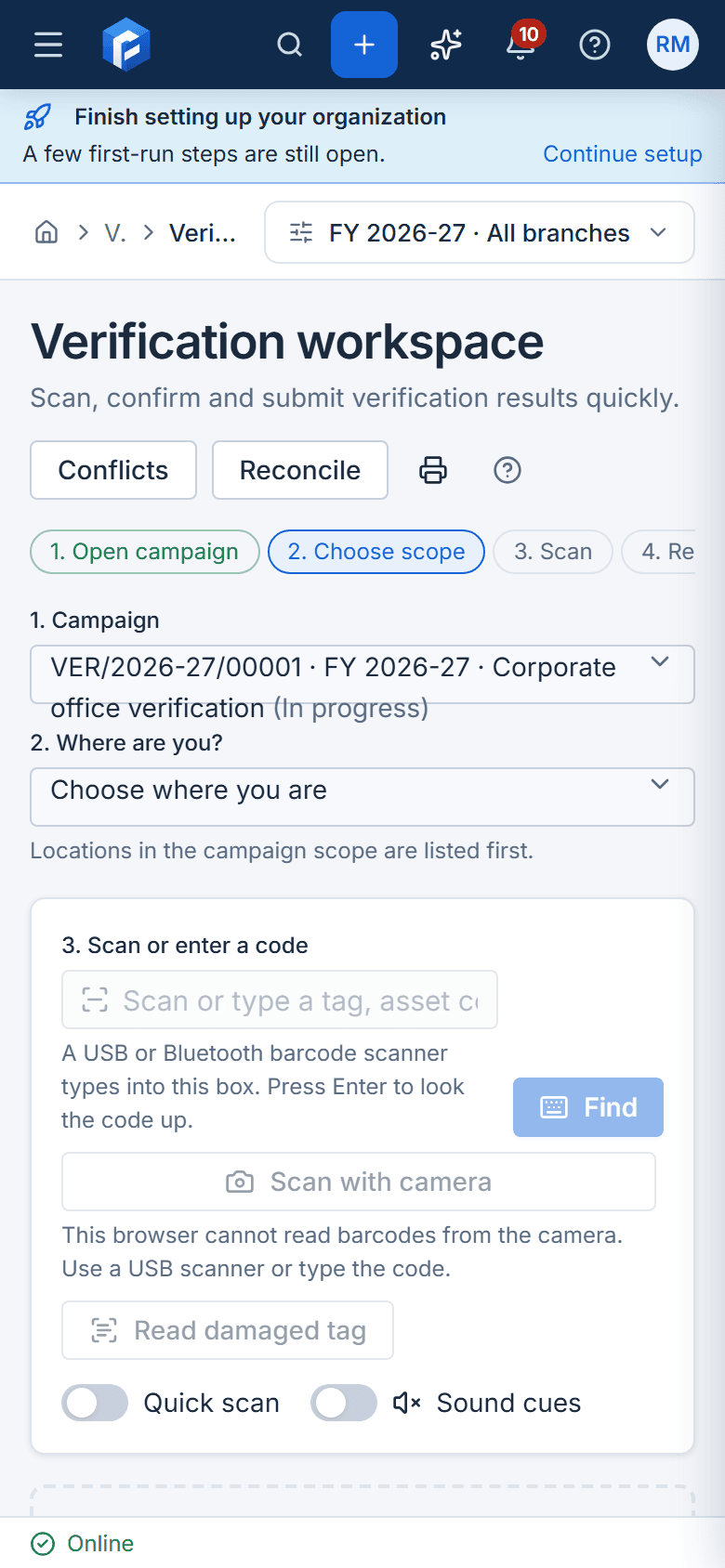
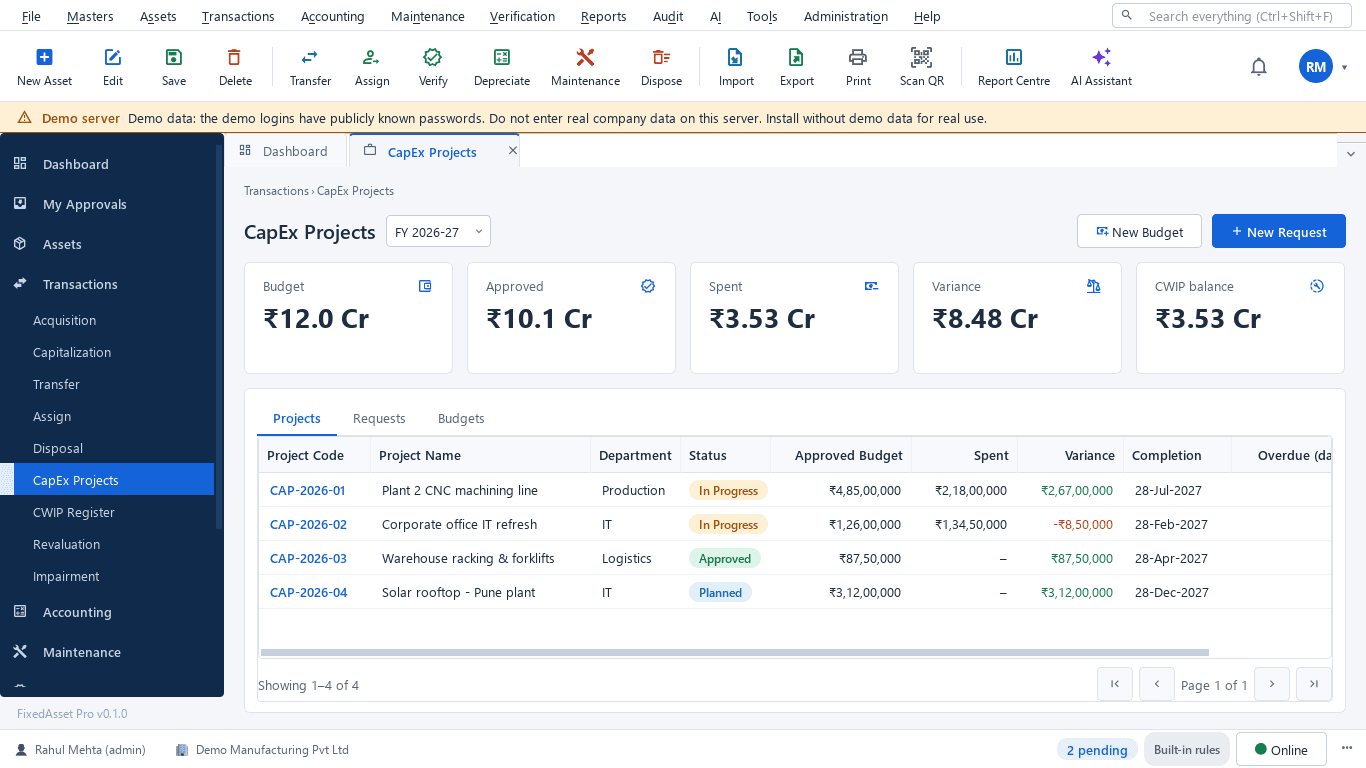
Watch the 3½‑minute product tour
The whole application in one narrated walkthrough, on real demo data: dashboard, asset register, depreciation, maintenance, verification, audit, reports, AI, and the web, desktop and mobile editions.
Choose your experience
Web, Desktop and Mobile App are all live. The same rules apply everywhere: one depreciation engine, the same approval chains, audit trail and AI governance. Pick the setup that suits your office, and take the phone into the field.
- Live · any modern browser
Web Application
- Access through a supported browser
- Centralised management of companies and branches
- Cross-location visibility with a Year · Company · Branch context bar
- Approval workflows and employee self-service
- Executive, CFO, Finance, Operations and Audit dashboards
- Live · Windows 10 / 11
Desktop Application
- Installed application for one PC or a whole office on your LAN
- Keyboard-oriented workflows and a command palette
- High-volume asset operations in dense data grids
- Label printing and USB scanner / webcam scanning
- Single Computer, LAN Server and LAN Client deployment
- Live · Android & iOS
Mobile Application
- Physical verification with offline counting
- QR and barcode scanning to open an asset
- Handover, custodian confirmation and condition reporting
- Field evidence capture: photos, comments, signatures
The asset journey, step by step
Follow one asset from the first request to disposal. Each step is its own approved, audited transaction on the same record. Select a step to see who does it and the screen it happens on.
How data flows
- Desktop (LAN)
- Web
- Mobile App
- Books & GL
- Reports
- Audit trail
Bring your data in
Start from the Excel register you already keep, or from CSV, scanned registers, invoices and your ledger. Every import is checked first, and nothing is written until you commit it.
Sources
- Excel workbook.xlsx · .xlsmWeb · Desktop
- CSV or JSON.csv · .jsonWeb · Desktop
- Scanned register sheetphoto · scanWeb
- Invoice, PO or GRN.pdf · images · .docx · .xlsxWeb · Desktop
- Trial balance or GL entries.xlsx · .csvWeb · Desktop
- Tally or ERP connectionconnectorWeb · Desktop
- User list.csv · .xlsxWeb
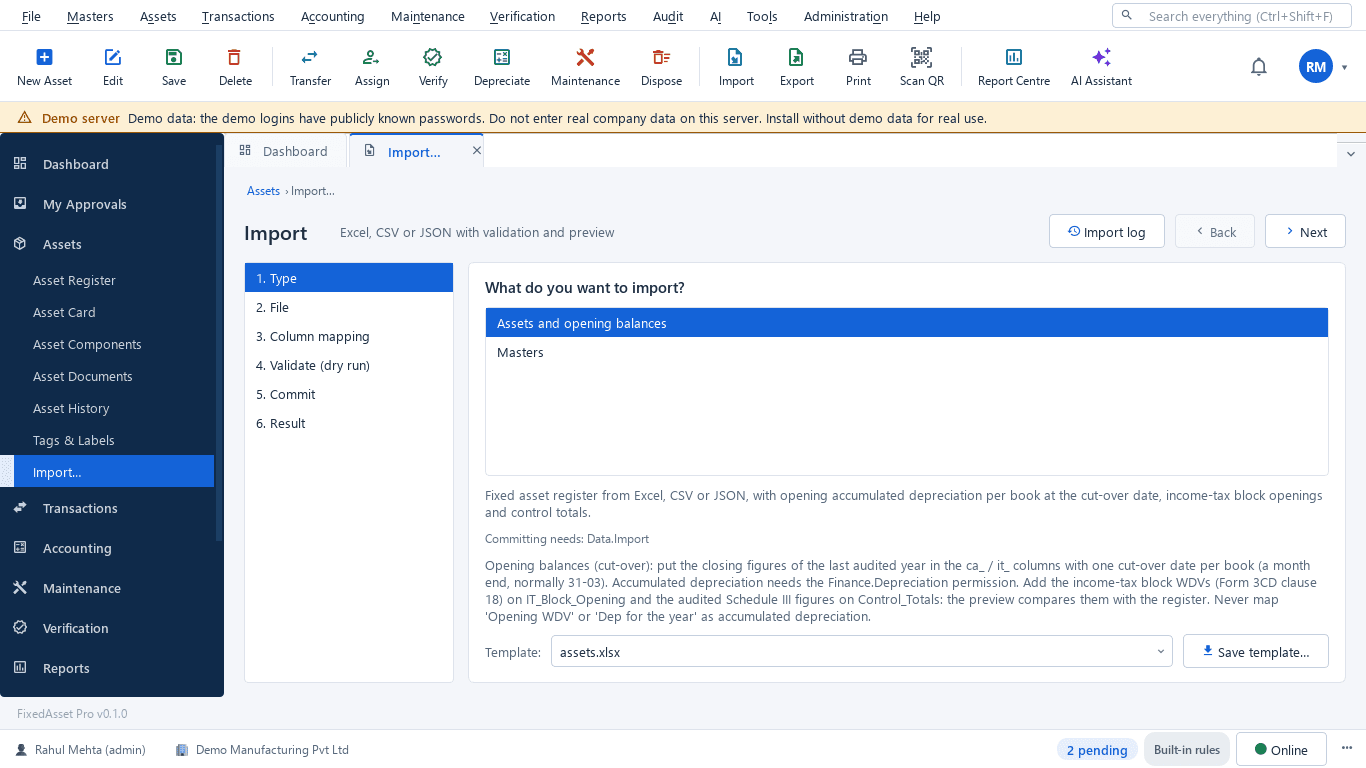
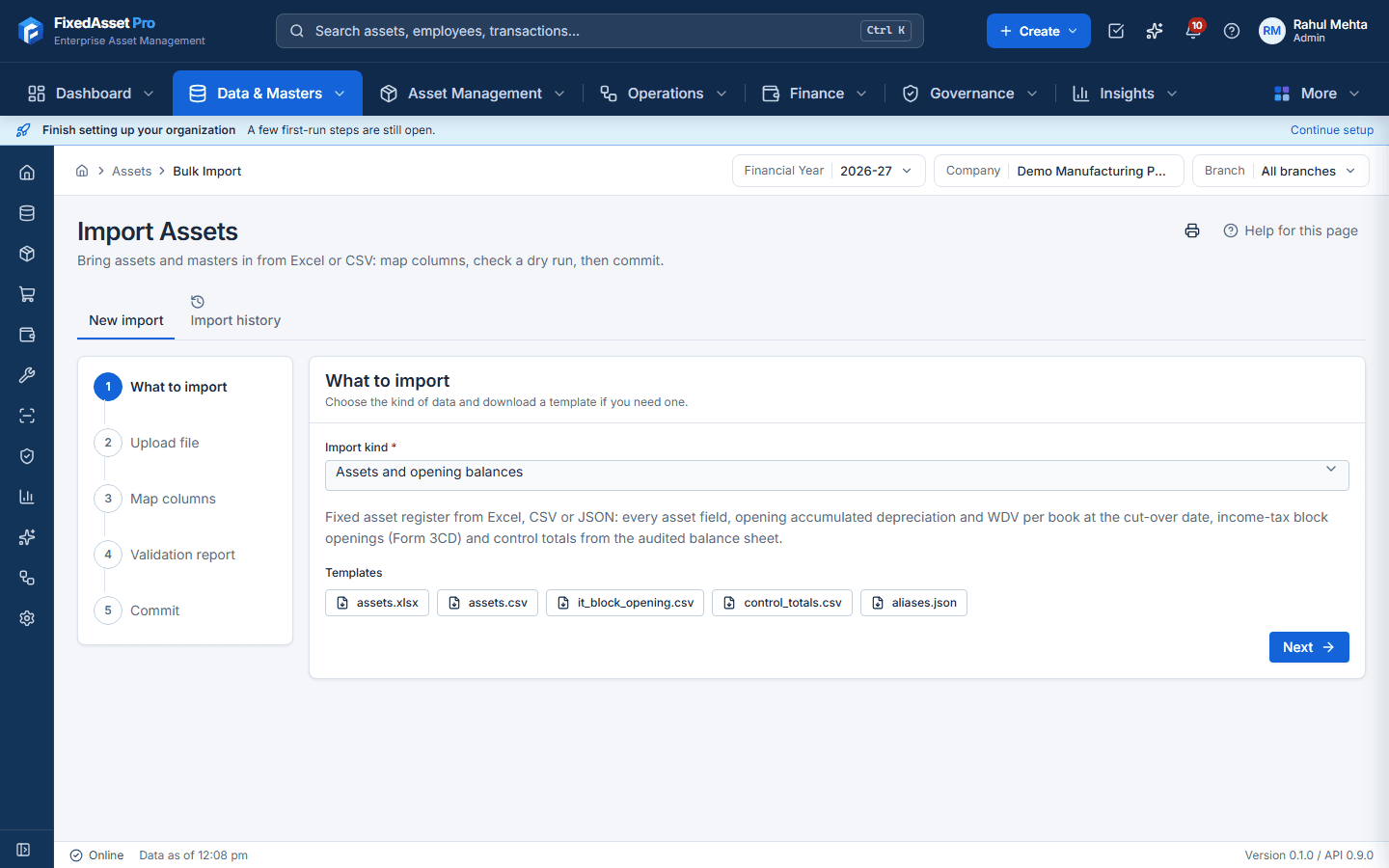
Asset import wizard · Web and Desktop
Choose what to import
Assets and opening balances, Masters, Asset book parameters or Asset usage, each with its template.
Validation · dry run, nothing written
- Row 2OK: FA-SRV-000101 · Rack server · ready
- Row 3Error:
DUPLICATEDuplicate asset code (also on row 2) - Row 4Error:
UNKNOWN_REFCategory 'FURN' not found - add it to the masters - Row 5Error:
DATE_ORDERPut-to-use 01-04-2024 is before purchase 15-04-2024 - Row 6Error:
NBV_MISMATCHNBV does not equal cost minus accumulated depreciation - Row 7Warning:
POSSIBLE_DUPLICATE_DBSame name, purchase date, cost and location as existing asset FA-IT-000214 - Row 8OK: FA-PM-000057 · CNC machining centre · ready
What it creates
- Asset register and opening balancesEvery asset field, opening accumulated depreciation and WDV per book at the cut-over date, IT block openings.
- MastersBranches, locations, departments, cost centres, categories, vendors and employees.
- Book parameters and usageMethod, life, residual and rate per book; units used per period.
- GL balances for reconciliationA committed import supersedes the previous one for the same period.
- Draft assets (after review)Created only on a reviewer's click; a Draft asset is not capitalised.
- UsersAccounts with role, branch and department.
Every module an asset needs
Twenty capabilities, each on the same asset record.
Executive dashboard preview
A real screenshot of the desktop dashboard on demo data. The role dashboards (Executive, CFO, Finance, Operations, Audit) show these figures, each tied to the records behind it.
- Gross asset value
- Net book value
- Accumulated depreciation
- CapEx
- CWIP
- Maintenance expenditure
- Verification progress
- Missing assets
- Reconciliation differences
Figures in the screenshot are demo data. No customer results are shown or implied.
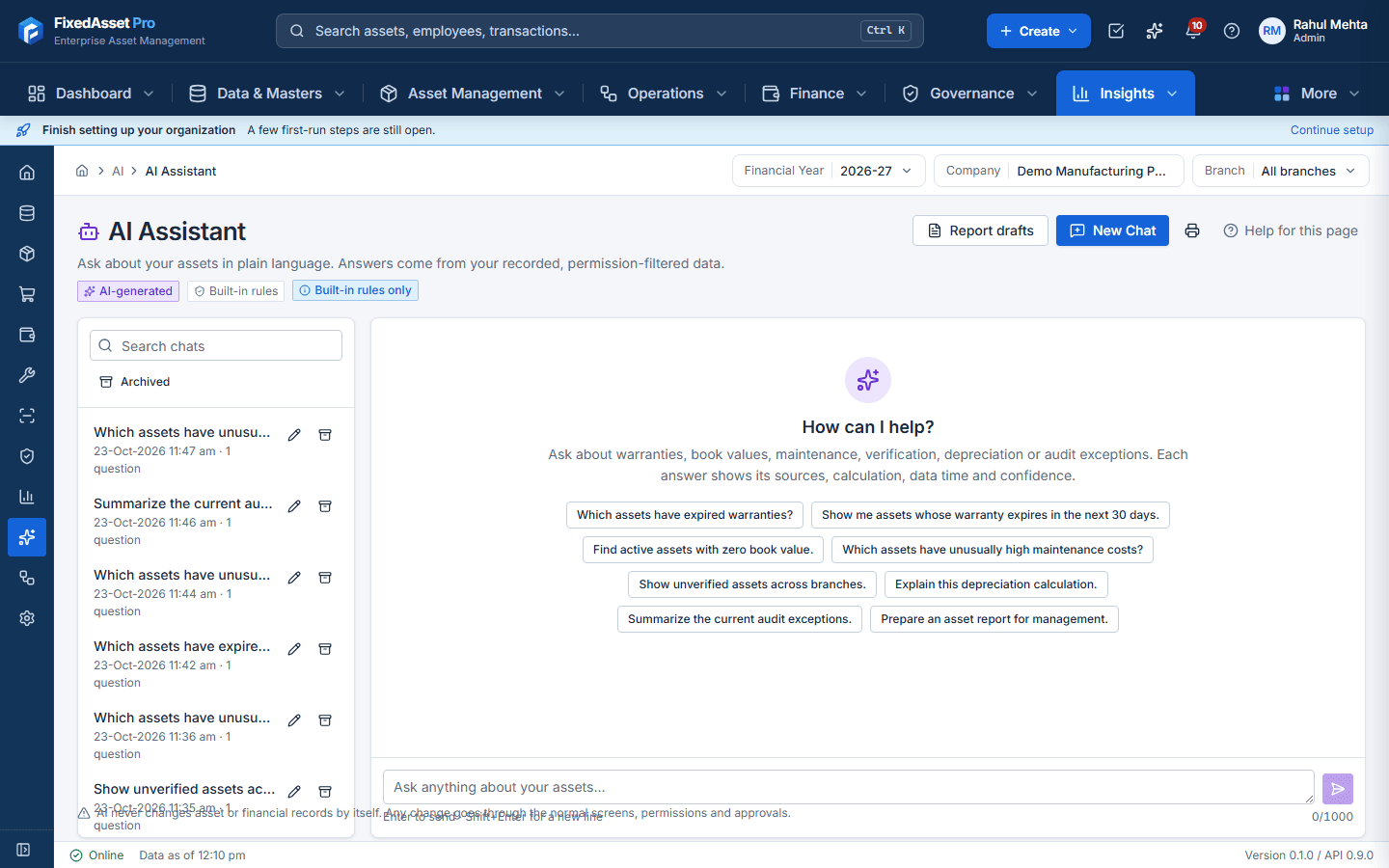
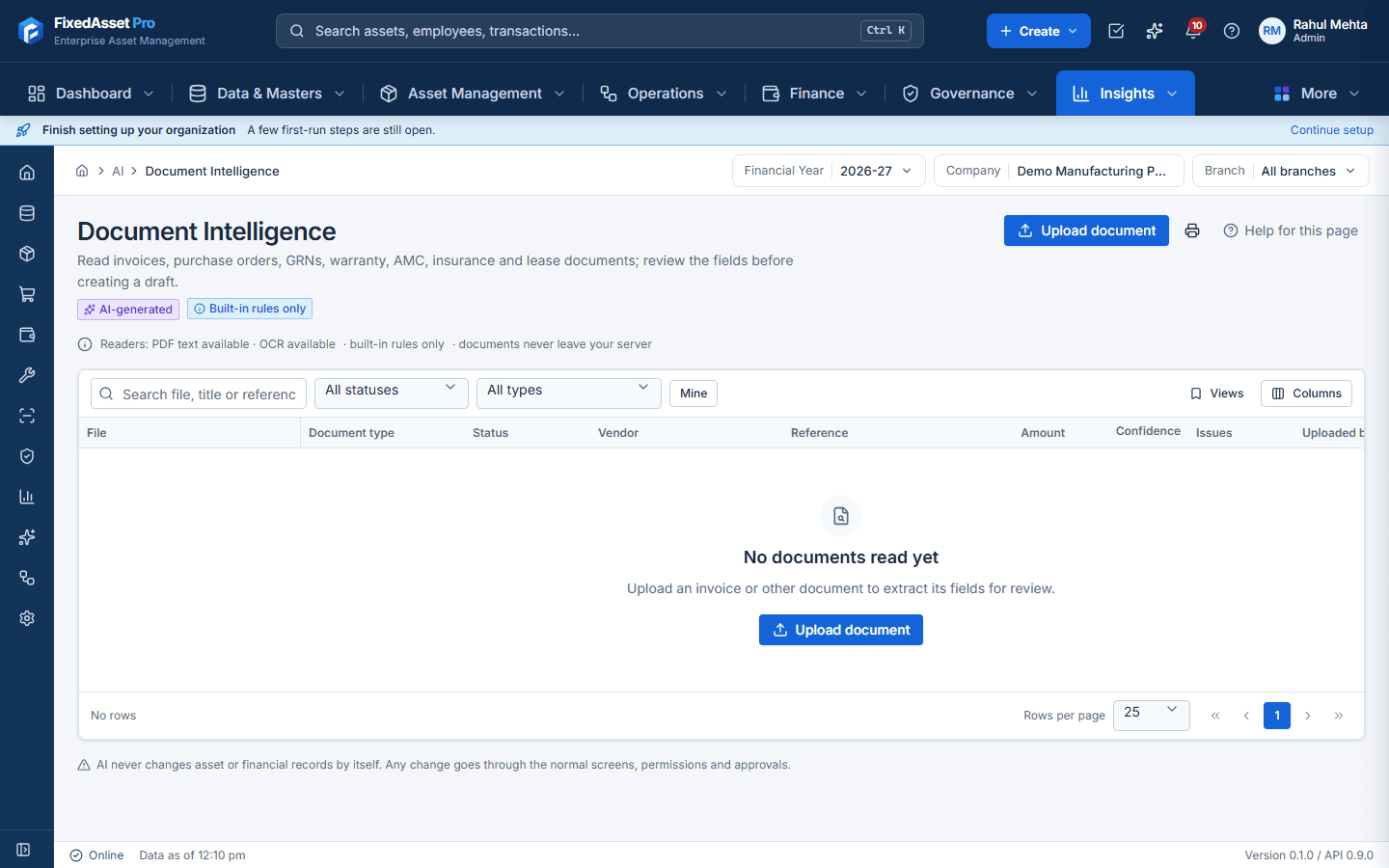
AI built in, on Web and Desktop
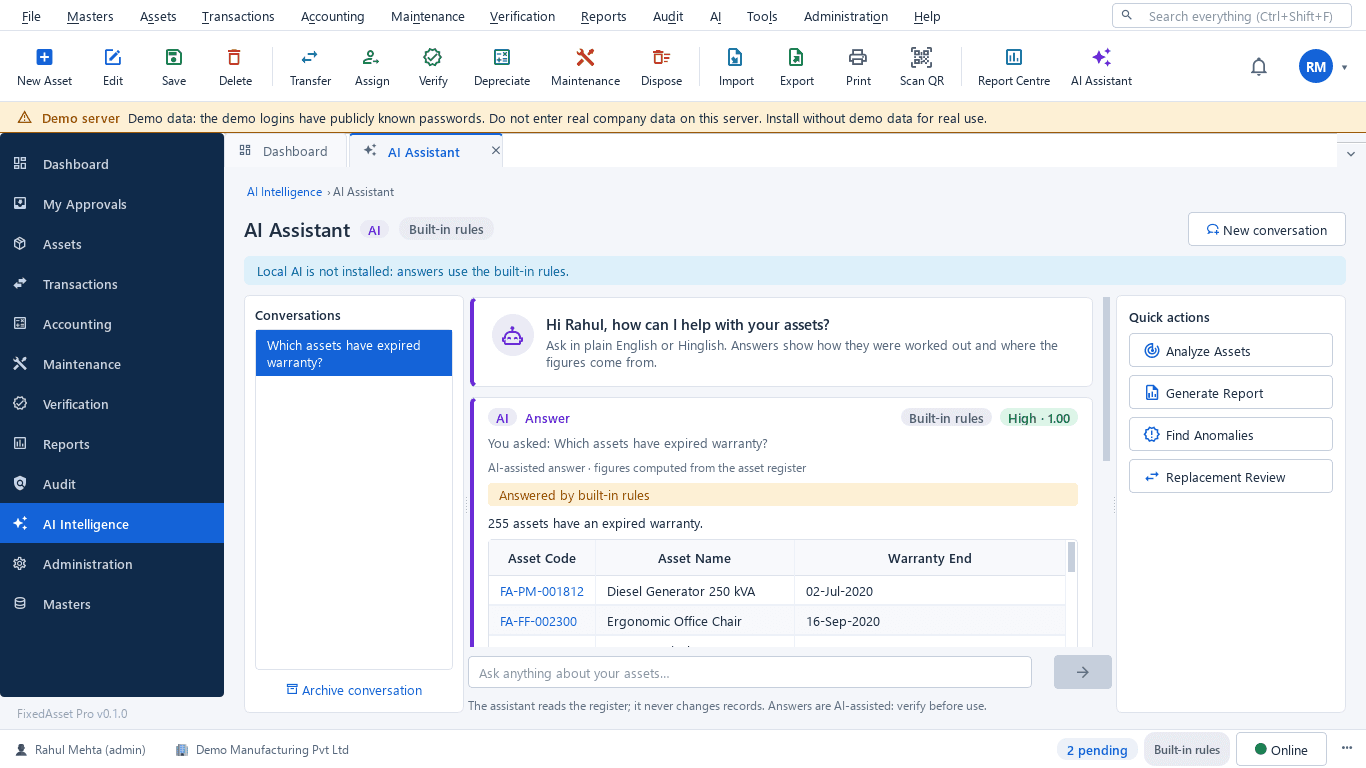
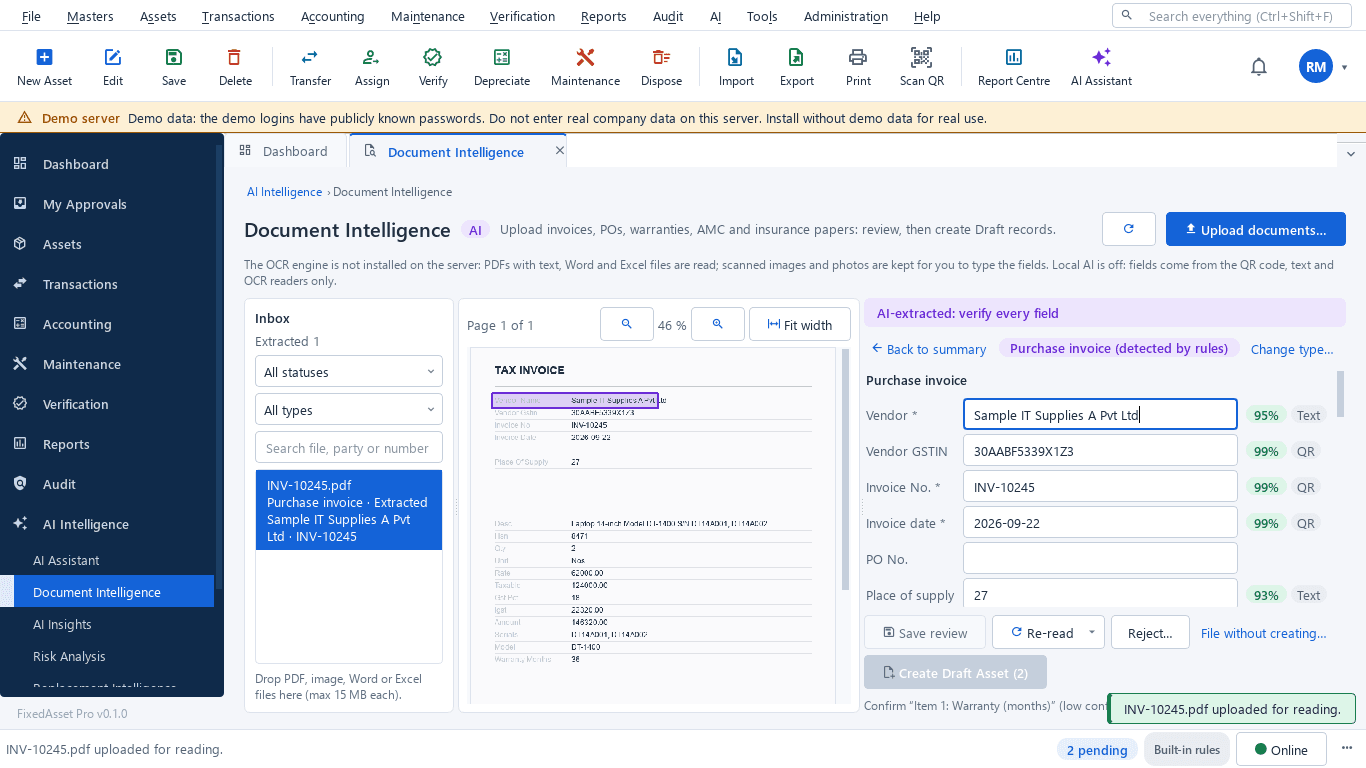
Figures are calculated by the application, not invented by a model. Every answer shows its evidence and how it was worked out, and only reads data you are allowed to see.
What it does
AI recommendations are supported by source records and require review before any consequential transaction. The assistant never creates, transfers, disposes of or depreciates assets; every AI question and action is logged.
Built for your industry
The same register, configured for the assets and workflows of your sector.
- ManufacturingPlant machinery, tools and utilities under one register.

- Pharmaceutical & Life SciencesInstruments, calibration records and maintenance evidence.

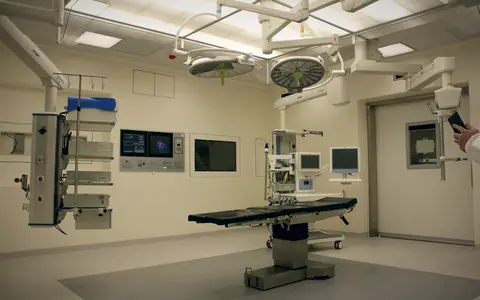
- Healthcare & HospitalsMedical equipment history, service contracts and availability.
- Information TechnologyDevices assigned to people, QR tags and warranty control.

- Banking & Financial ServicesBranch-level control, reconciliation and audit trails.

- RetailStore assets, POS equipment and transfers between stores.

Solutions by role
What each role gets from the platform, and the workflow it supports.


Compliance and control
Configurable controls that help you meet your own obligations. The platform does not certify compliance for you.
Depreciation books
Asset history
Approval workflows
Financial reconciliation
Physical verification
Evidence retention
Country-specific rules
Audit traceability
Statutory defaults (lives, rates, thresholds) are supplied as reference data. Agree them with your auditor before the first run. FixedAsset Pro does not claim certifications or automatic legal compliance.
Deployment options
Web, Desktop and Mobile App are all live, and where your data lives is your choice. Each option trades accessibility against administration, network dependency and control.
- Web · live
Cloud-hosted service
Hosted for you; sign up online and work in a browser.
- Desktop · Single Computer
On-premise installation
Program and database on one Windows PC.
- Desktop · LAN Server + Clients
LAN deployment
One server PC runs the database, local AI and backups; client PCs connect over the office network.
- Mobile · live
Mobile App in the field
Android and iOS app for verification counts, QR and barcode scanning, handovers and field evidence.
Your brand. Your instance. Your database.
White-label with your logo, colours and domain, a dedicated managed instance, a separate database per customer, on-premise deployment and priority support, available on request.
Integrations
Connectors are labelled available only where a supported integration exists in the product today.
ERP
- SAP S/4HANAAvailable
- SAP Business OneAvailable
- Oracle Fusion CloudAvailable
Accounting
- Tally (TallyPrime / ERP 9)Available
- Zoho BooksAvailable
- QuickBooks OnlineAvailable
Procurement
- Built-in procurement chainAvailable
- PO and invoice references from your ERPAvailable
- External e-procurement platformsCustom via API
HRMS
- Employee and department import (Excel / CSV)Available
- HRMS connectorsPlanned
Identity providers
- LDAP / Active DirectoryAvailable
- OpenID Connect single sign-onAvailable
- Multi-factor authenticationAvailable
Document storage
- Evidence vault (built in)Available
- External document storage connectorsPlanned
Reporting systems
- PDF, Excel, CSV and Word exportAvailable
- Signed webhooksAvailable
- BI tool connectorsCustom via API
API integration
- REST API (/api/v1)Available
- API keys and service usersAvailable
- WebhooksAvailable
Security and trust
Only implemented controls are listed here. Planned capabilities are marked as such, and no certification is claimed.
Role-based access
Company and branch scoping
Audit logging
Secure authentication
Session management
Protected documents
Backup and recovery
Configurable hosting
Frequently asked questions
Short answers about pricing, editions, importing your register, compliance and AI.
More answers in the help centre, or read our in-depth guides.
How much does FixedAsset Pro cost?
Plans and prices are shown on the pricing page, read live from the plan configuration. Larger organisations, multi-company groups and enterprise requirements are scoped and quoted by our Sales Team.
Is there a free trial?
Yes, where a plan offers one. The trial needs no card; its length is shown on the plan and confirmed at sign-up. Your trial uses your real company, branches and administrator, with no demo data. Start the free trial.
Desktop, web or mobile: which one do I need?
The web edition runs in the browser with nothing to install. The desktop edition runs on your own Windows LAN (Windows 10 / 11). The mobile app for Android and iOS works with web edition accounts for scanning, offline counting and approvals; desktop installations count with a USB scanner, a webcam or count sheets. See desktop vs web.
Can we import our existing register from Excel?
Yes. Import from Excel, CSV or JSON through the column-mapping wizard. A dry run reports every problem row before anything is written, the import is all-or-nothing, and opening balances for both books are tied to your audited totals. The free register template uses the importer's own columns.
Does it handle Schedule II and the Income-tax Act?
Yes, as two books on the same asset. The Companies Act book depreciates each asset by its Schedule II useful life; the Income-tax book works on s.32 blocks with the 180-day rule, additional depreciation and s.50. A comparison report shows both side by side. See Depreciation.
How does it help with CARO 2020 physical verification?
Verification campaigns record verified, missing, found-elsewhere and mismatch outcomes with photo and signature evidence, and end in a signed statement and audit pack for your auditor under clause 3(i)(b). FixedAsset Pro does not itself certify compliance. See Physical Verification.
Does the AI change our records or send our data outside?
The AI reads and explains; it does not change your records on its own. On the desktop edition the model runs locally on your server PC. On the web edition AI runs inside the FixedAsset Pro service, and an external cloud provider stays off unless an administrator opts in; even then it receives the question or document text, never database rows. See AI.
Can we keep Ind AS or IFRS books too?
Yes. Alongside the built-in Companies Act and Income-tax books you can add Ind AS / IFRS, management or custom books, each with its own policy, and choose the one corporate book that posts to the ledger. See Financial Management.
Do you offer white-label or enterprise deployments?
Yes, on request: white-label with your name, logo, colours and domain, a dedicated managed instance, a separate database per customer, on-premise deployment and priority support. See Enterprise & White-label.
Bring Your Asset Operations Into One Connected Platform.
Start with your real register: no demo data, your companies and branches, your first administrator.