
Report on anything: dashboards, over 140 built-in reports, schedules and your own report builder.
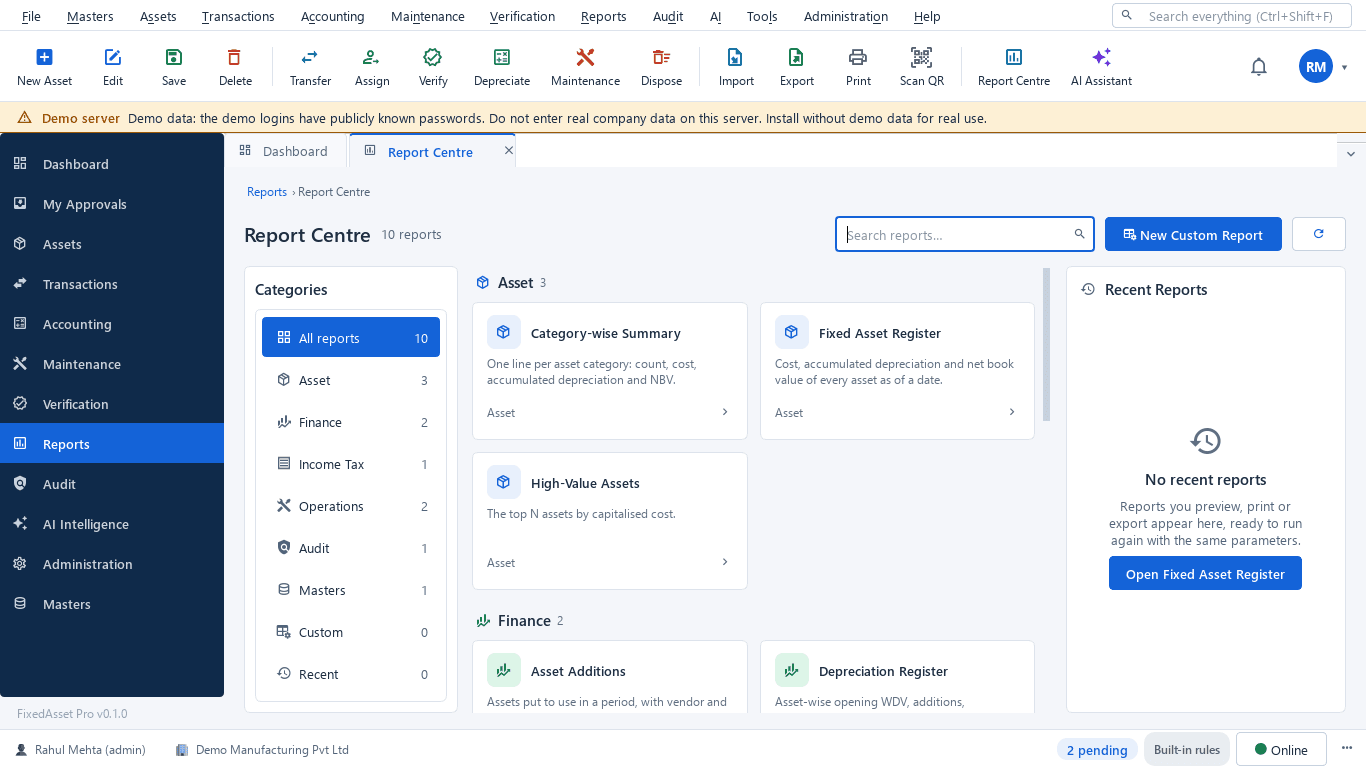
Executive, CFO, Finance, Operations and Audit dashboards. A report centre with over 140 reports across asset, finance, income tax, operations, audit, masters and system. Scheduled delivery, and a builder for the reports we did not think of.
What you get
Dashboards by role
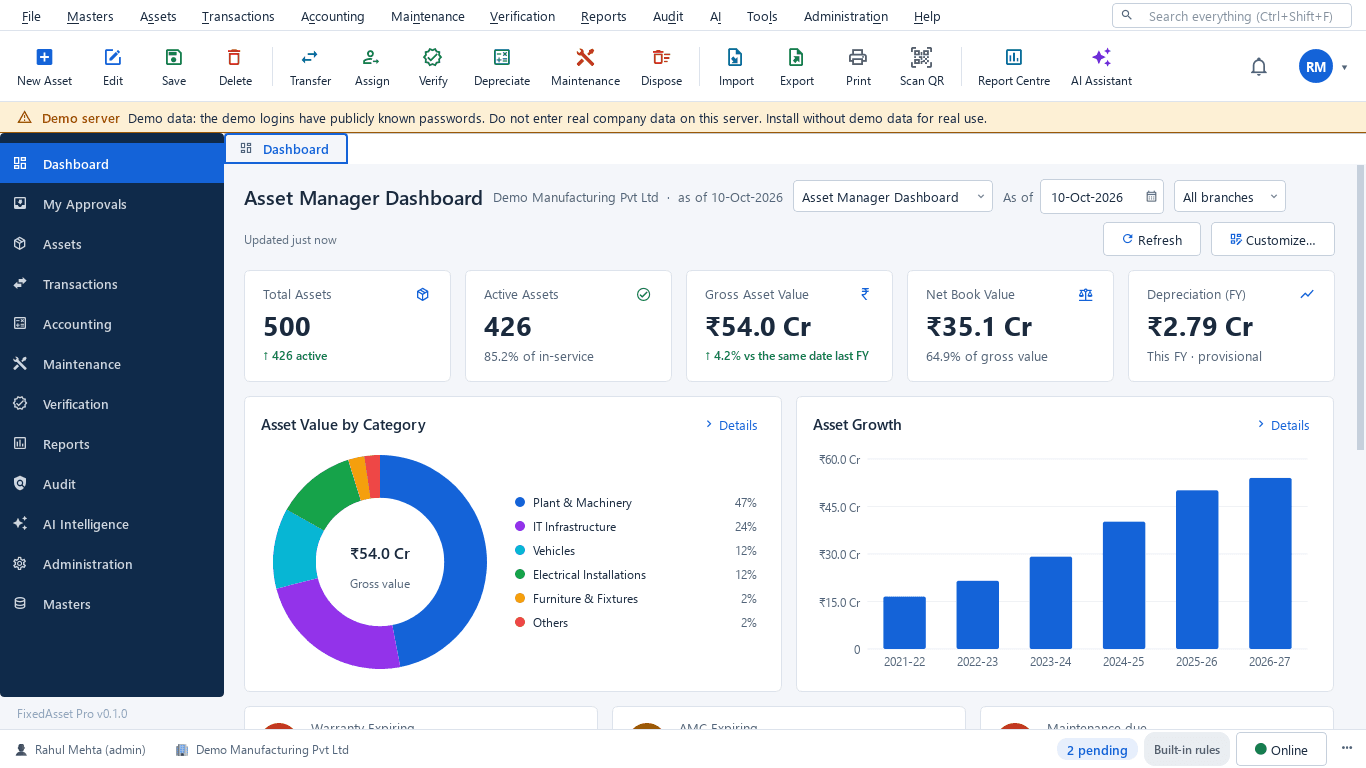
Executive, CFO, Finance, Asset Manager, Operations, Audit and Management dashboards; custom dashboards from widgets and templates; a personal workspace with tasks and recent items.
The report centre
Over 140 built-in reports across asset, finance, income tax, operations, audit, masters, analytics and system, each with parameters, presets such as This financial year, a preview and a run history.
Finance and tax
Depreciation register and summary, the Schedule III fixed asset schedule, book value, additions, disposals and gain or loss, monthly depreciation and forecast, block-wise s.32 with the 180-day split, Form 3CD clause 18, s.50, deferred tax and the Companies Act vs Income-tax comparison.
Operations and audit
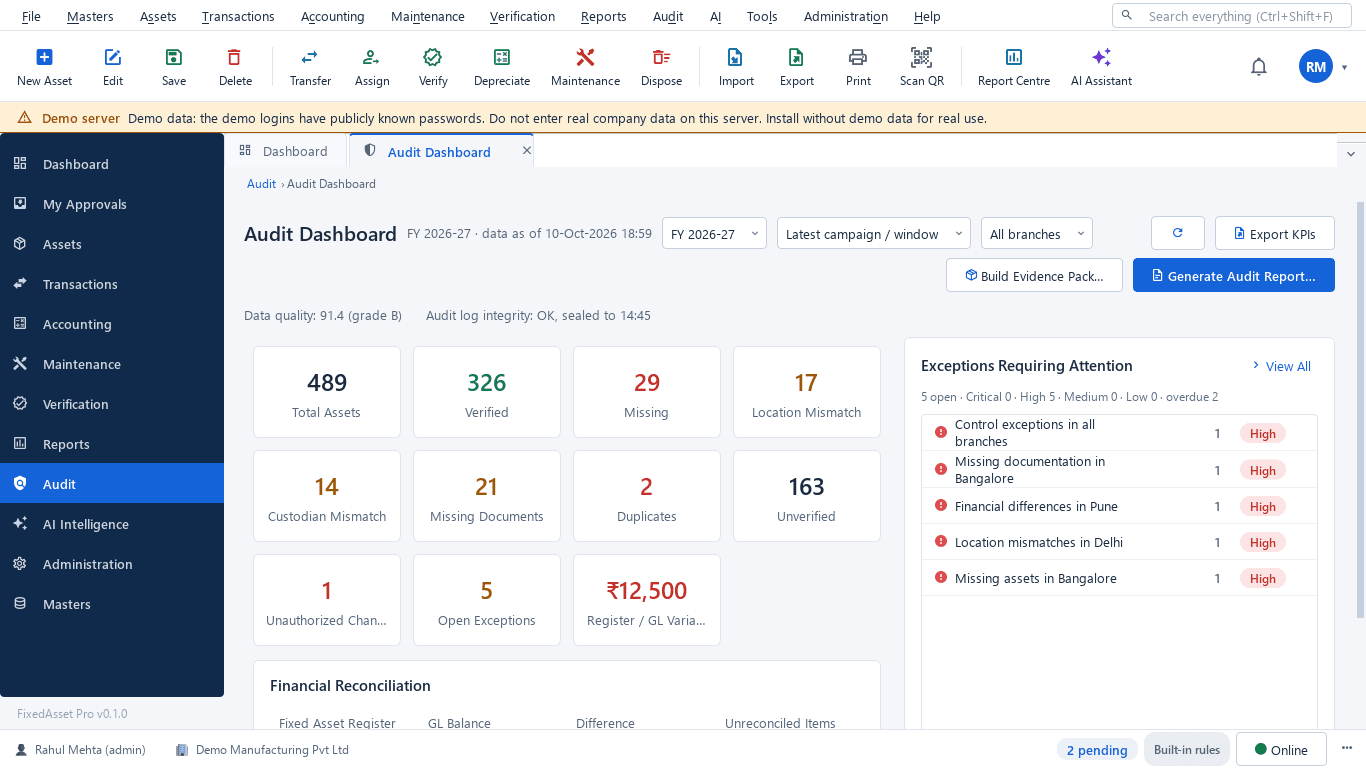
Warranty, age analysis, movement, idle and uninsured assets; verification summary, missing assets, mismatches, the CARO 3(i)(b) statement, the audit trail and user-access reports.
Export and presets
PDF, Excel, CSV and Word. Large exports run in the background and appear in the run history when ready.
Scheduled delivery
Daily, weekly or monthly schedules deliver a report to the people who need it, in their language, with a run history per schedule.
Report builder
Pick a dataset (assets, events or audit), choose columns, filters, grouping, totals and formatting, then save and share the report. It runs and exports like a built-in one.
AI report packs
CFO asset summary, audit summary, risk, replacement and anomaly packs. Numbers always come from the report; an AI-written summary is labelled and dropped if a figure does not match.
How it works
From a question to a report in someone's inbox.
Pick a report or dashboard
From the catalogue, a role dashboard or one you built.
Set period and scope
Year, company, branch and the report's own parameters; presets for the usual periods.
Preview
The result with totals and grouping, before any file is produced.
Export or schedule
PDF, Excel, CSV or Word now, or a schedule that delivers it on its own.
Share
Reports and dashboards follow permissions; amounts stay hidden from users without finance rights.
In the product
Real screens of the desktop edition, captured on a demo server. The web edition runs the same backend rules in the browser.
Web and desktop
Which edition has it today. One backend, the same depreciation engine, approval chains and audit trail on every surface.
Web app
AvailableRole and custom dashboards, the report centre, scheduled delivery and the report builder.
Desktop app
Partly availableThe report centre (F7), the report builder and dashboards on Windows. Scheduled delivery is a web edition feature.
Works with
Where this feature connects to the rest of the platform, and who uses it most.
Frequently asked questions
How many reports are there?
Over 140 built-in reports today, grouped by asset, finance, income tax, operations, audit, masters, analytics and system, plus the reports you build yourself.
Can a report be sent automatically?
Yes, in the web edition. A schedule runs the report daily, weekly or monthly and delivers it to the chosen users; every run is kept in the schedule's history.
Can we build our own report?
Yes. The report builder works on datasets for assets, events and audit: pick columns, filters, grouping, totals and formatting, save it and share it. It runs and exports like a built-in report.
Which formats are supported?
PDF, Excel, CSV and Word for reports; dashboards are on screen. Large exports run in the background.
More about Reporting & Analytics
Learn more in our guides
One asset, several books: how FixedAsset Pro keeps Companies Act, Income-tax and other depreciation side by side
Indian companies depreciate the same asset at least twice: once under Schedule II and once under the Income-tax Act. Groups reporting abroad add a third. Here is how depreciation books work in FixedAsset Pro, and what each one is for.
Schedule III disclosures for property, plant and equipment: what the notes must show
The fixed asset note is more than a roll-forward. Since the 2021 amendments, Schedule III also asks about title deeds, registered valuers, CWIP ageing and benami proceedings. A walk through what goes in, and where the data comes from.
What your auditor will ask for on fixed assets, and how to have it ready
A prepared-by-client list for property, plant and equipment, organised by the questions the auditor is trying to answer: does it exist, is it complete, do you own it, and is it valued and presented correctly.
See it on your own register
Start a free trial of the web edition, or book a demo and we will walk through it with your data. No card is needed to begin.