

A proper asset register without a project to set it up
Most small businesses keep their assets in a spreadsheet that one person understands. FixedAsset Pro replaces it with a register you can import in an afternoon, labels you print on your own sheets, and depreciation your accountant can follow, without servers to manage or modules to configure first.
- One company, one or a few locations
- Up to a few hundred assets: computers, furniture, vehicles, a few machines
- An owner, an accountant or an office manager who looks after the register part-time
- Depreciation worked out once a year, often by the external accountant
What you need, and the capability that answers it
| Need | Capability | Learn more |
|---|---|---|
| Easy setup | Import the existing spreadsheet through a column-mapping wizard with a dry run and an error report; nothing is partly imported. | Fixed Asset Management |
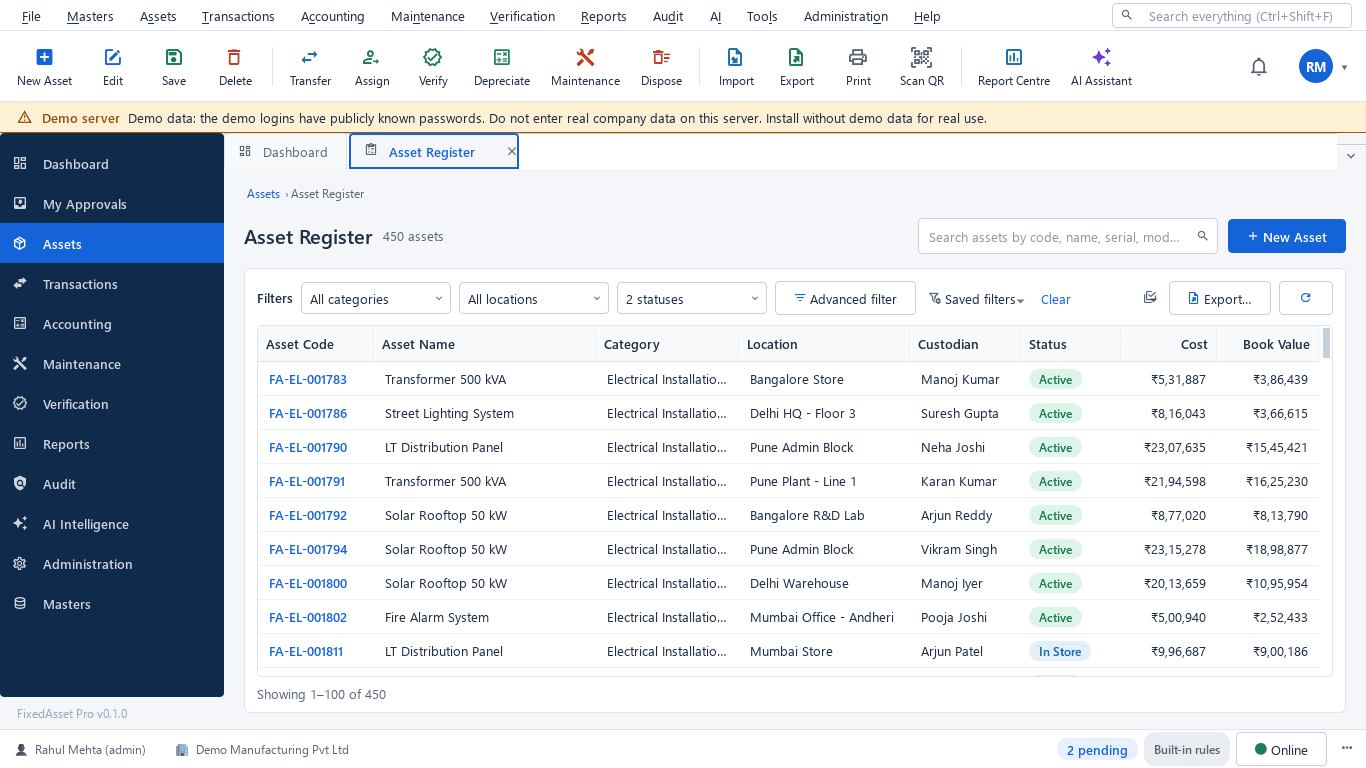
| A straightforward register | One list with code, category, location, custodian, cost and book value, a search box across assets, serials and invoices, and an asset card that keeps the documents. | Fixed Asset Management |
| QR labels | QR, barcode and Data Matrix labels printed on your own label sheets, with reprint and replace; scanning with a USB scanner or webcam. | Fixed Asset Management |
| Depreciation the accountant accepts | Companies Act and Income-tax books on the same asset, with an Explain view for every figure. | Depreciation |
| Essential reports | Fixed Asset Register, Depreciation Register, Fixed Asset Schedule (Schedule III) and Warranty Expiry from the Report Centre, exported to PDF, Excel, CSV or Word. | Reporting & Analytics |
| A yearly count without a consultant | A simple verification campaign: print count sheets or scan labels, and see what is missing or found elsewhere. | Physical Verification |
Which edition fits
Web edition (available now)
Suits a business that would rather not run a PC as a server: work in the browser, start with a trial and let the hosting, updates and backups be handled for you.
Learn moreDesktop edition (available now)
Installs on one Windows 10 / 11 PC with the database included; it works without the internet and keeps encrypted backups on your own drive.
Learn moreAn entry plan (Starter family)
Small registers need the core register, both depreciation books, labels and the standard reports rather than multi-company administration or integrations. Asset and user limits are set per plan in the live catalogue.
Plans, limits and prices are published on the pricing page from the live catalogue; nothing here is a price.
Frequently asked questions
How long does setup take?
Most of the time goes into tidying the spreadsheet you already have. The import wizard maps your columns, checks every row in a dry run and gives an error report to fix before you commit. Opening balances for both books can be imported with the assets.
Do we need special label printers?
No. Labels print on your own label sheets from an ordinary printer. A USB barcode scanner or a webcam is enough to scan them.
Our accountant does the depreciation. Can they use this?
Yes. The Companies Act and Income-tax books are kept on the same asset, and Explain shows how each figure was worked out, so your accountant can check rather than recompute. Agree the rates and lives with them before the first run.
Can we start small and add branches later?
Yes. Branches, more users, approval chains and maintenance can be switched on as you grow; the register and its history stay the same. See Growing companies.
What does it cost?
Prices and limits are published on the pricing page from the live plan catalogue. Where a trial is offered it needs no card.




Bring your spreadsheet and see it as a register
Start a free trial and import your current asset list, or book a demo and we will walk through the import with you.