
From the CapEx request to the capitalised asset, with the budget in view.
CapEx budgets, requests and projects. Purchase requests, quotations, purchase orders, goods receipts, inspections and invoices. CWIP for what is still under construction, and capitalisation when it is ready for use.
What you get
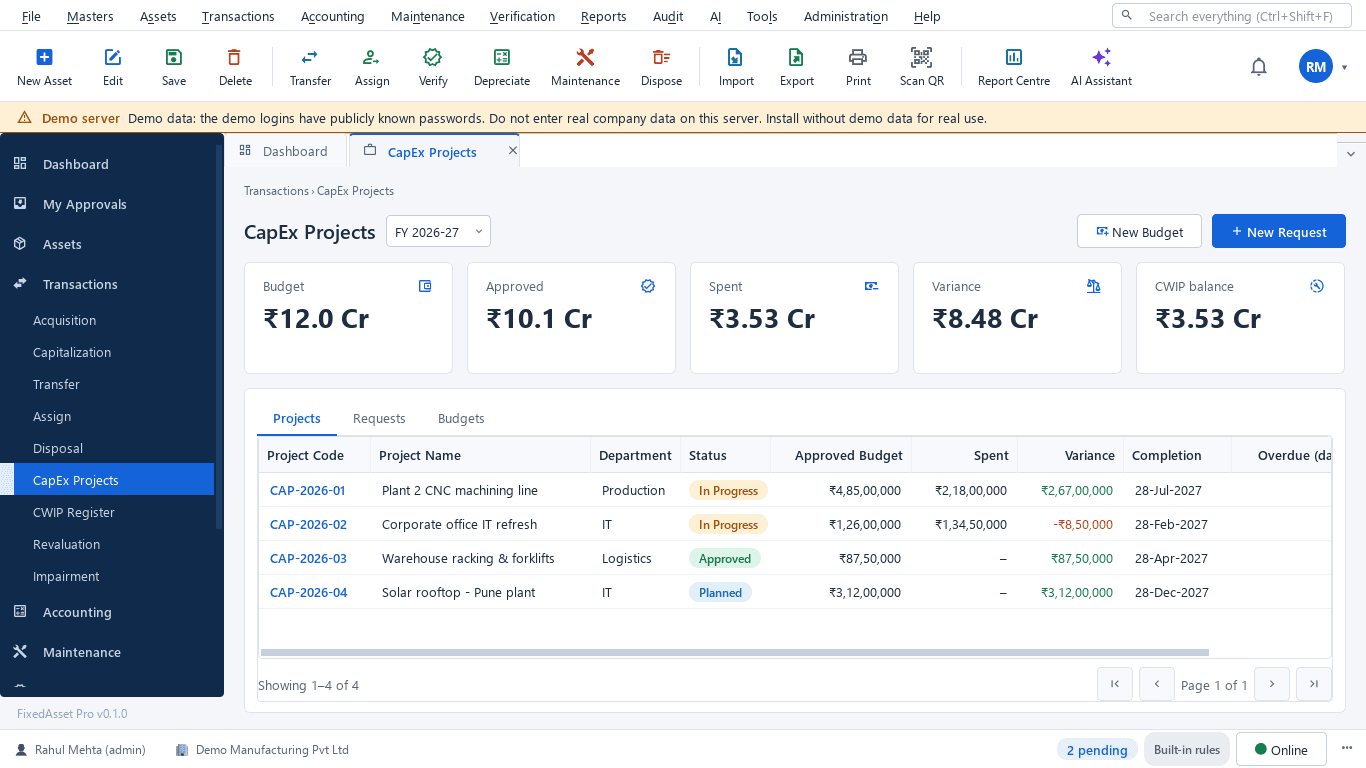
CapEx budgets and requests
Budgets per year and branch with approved, spent and variance. Requests go through approval chains by type, amount and branch; a budget or a request can be closed with a reason.
Purchase orders
Orders raised from approved requests with vendor, lines and taxes; receipts are recorded against the order, and an order can be closed with a reason.
Goods receipt and inspection
A receipt per order line, with an inspection result before anything is capitalised.
Invoices and matching
Vendor invoices matched to the order and the receipt, with GST on every line so input credit is captured at source.
CWIP
Projects under construction with vendor, material, labour, borrowing-cost and trial-run entries; split, write-off and allocation of common costs; CWIP ageing in Schedule III buckets.
Capitalise from the receipt
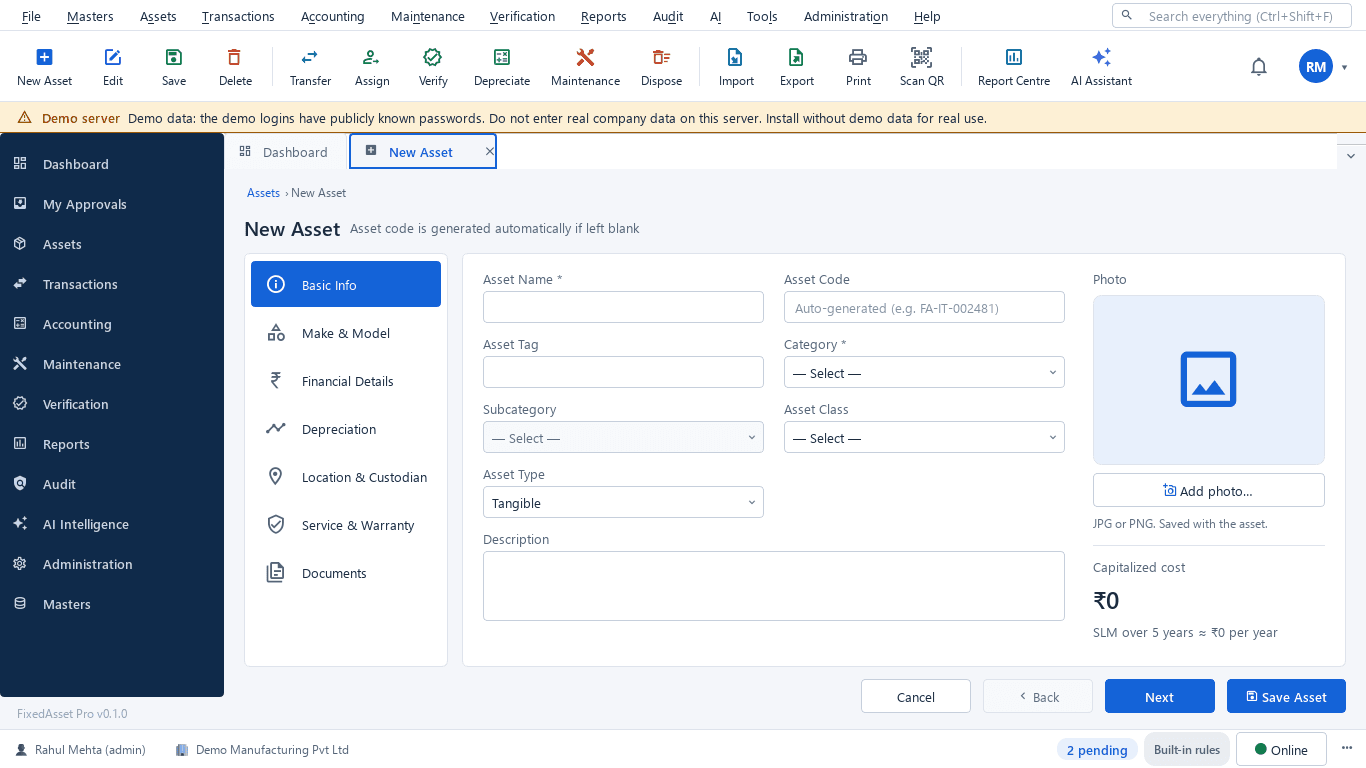
Capitalisation prefilled from a goods receipt, a CWIP project or a draft, submitted for approval; depreciation starts from the put-to-use date.
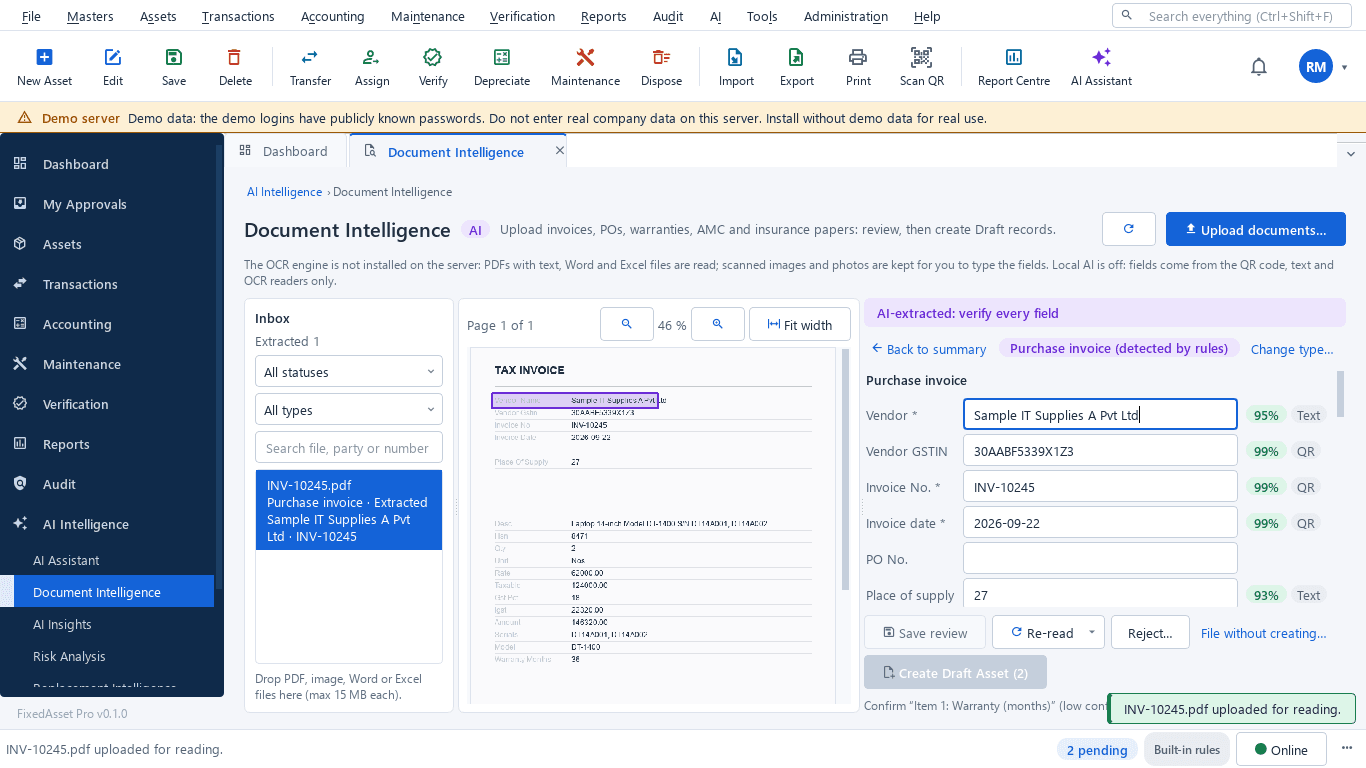
Invoice to draft asset
Drop in the purchase invoice and the document intelligence reads vendor, lines, tax, serial, model and warranty with a confidence per field. A person confirms every value; the Draft asset then goes through normal approval.
CapEx reports
Budget vs actual, CapEx by project and branch, CWIP ageing and completion schedule, purchase-order receipt status.
How it works
The purchase chain for capital items, with a budget check at the start and an asset at the end.
Request
A CapEx request against a budget line; the variance is visible before approval.
Approve
The chain you designed: by type, amount and branch.
Order
A purchase order to the vendor with lines and taxes.
Receive and inspect
Goods receipt per line and an inspection result.
Invoice
The vendor invoice matched to order and receipt.
Capitalise or hold in CWIP
Ready for use: capitalise. Still under construction: CWIP entries until it is.
Tag and assign
The new asset gets its label and custodian.
In the product
Real screens of the desktop edition, captured on a demo server. The web edition runs the same backend rules in the browser.
Web and desktop
Which edition has it today. One backend, the same depreciation engine, approval chains and audit trail on every surface.
Web app
AvailableThe full chain: requests, quotations, purchase orders, goods receipts, inspections, invoices, CapEx budgets and CWIP.
Desktop app
Partly availableCapEx budgets, requests, projects and CWIP are available. The purchase order, receipt and invoice chain is partial on the desktop edition.
Works with
Where this feature connects to the rest of the platform, and who uses it most.
Related features
By role
Frequently asked questions
Can we start with CapEx budgets only?
Yes. Budgets, requests and approvals work on their own; purchase orders, receipts and invoices can be added when you are ready, and capitalisation can also start from a draft asset.
What is CWIP in FixedAsset Pro?
Capital work in progress: a project that collects vendor, material, labour, borrowing-cost and trial-run entries until the asset is ready for use. Common costs can be allocated, entries split or written off, and the ageing report uses Schedule III buckets.
Does it replace our purchasing system?
It records the chain for capital items so that every asset can point at its request, order, receipt and invoice. Journals for the postings can be exported or sent to your accounting system through the integrations.
More about Procurement & CapEx
Learn more in our guides
Capital work-in-progress: ageing, overdue projects and getting the capitalisation date right
CWIP is where cost waits until an asset is ready for use. Too long there and the Schedule III ageing exposes it; too short and depreciation starts on an asset that is not ready. How to manage CWIP through the year.
See it on your own register
Start a free trial of the web edition, or book a demo and we will walk through it with your data. No card is needed to begin.