
Where the register lives is your choice
FixedAsset Pro runs as a desktop application on your own Windows PC or office LAN, and as a cloud-hosted web edition with a companion mobile app; all are available now. The models below describe what each means in practice for access, administration, the network, data control and who maintains it.
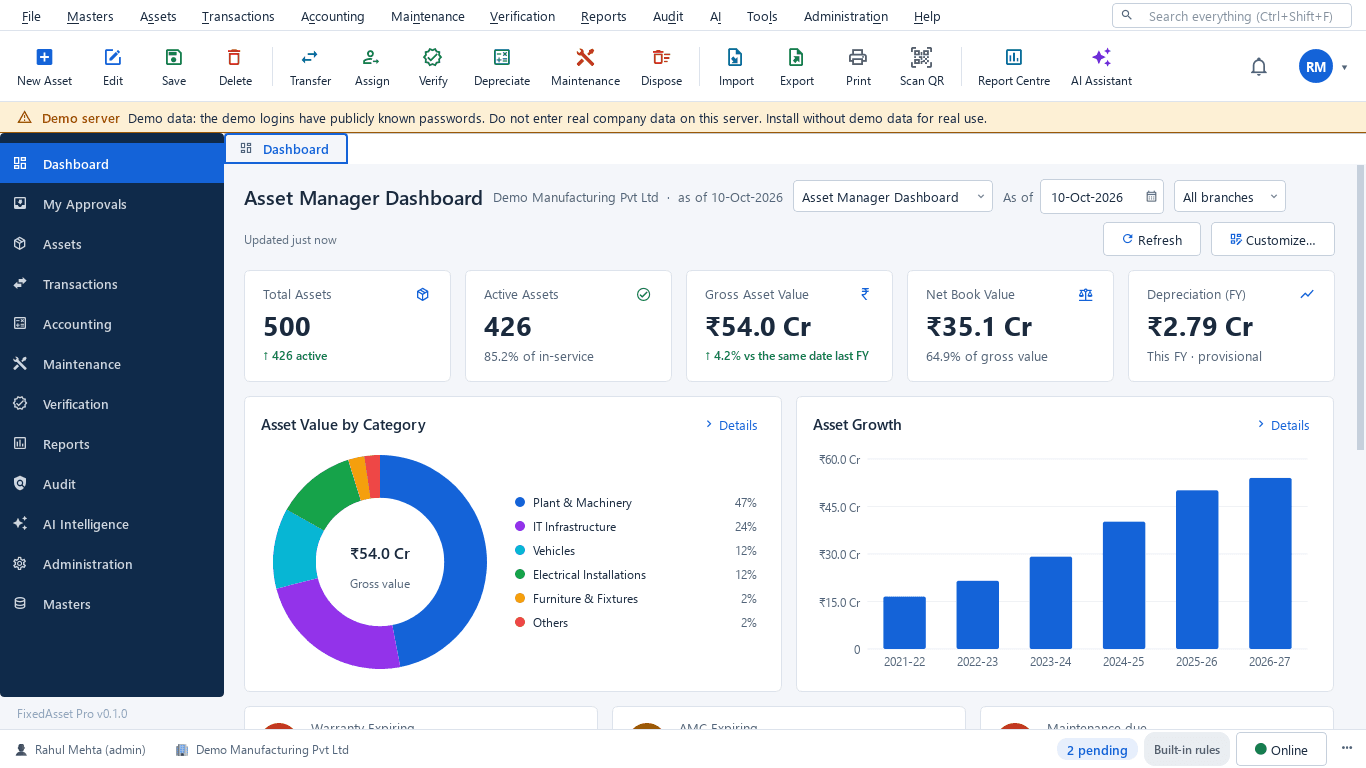
Solutions by deployment model
Cloud-hosted web edition
Available nowWe host the application; you sign up online and work in a browser. Each organisation's data is isolated from the others.
Best for: Organisations with several sites, remote finance teams and no wish to run a server.
Practical trade-offs
- Accessibility
- Highest: any modern browser, from any location, with the Year · Company · Branch context bar.
- Administration
- Users, roles and settings are administered in the browser; there is nothing to install.
- Network dependency
- Needs an internet connection for every session.
- Data control
- Data is held in our cloud, isolated per organisation; exports are available at any time.
- Maintenance responsibility
- Updates, hosting and backups are our responsibility.
Good to know
- Sign up online and start a free trial with no card needed.
- Scheduled report delivery, employee self-service and the mobile app are web edition features.
On-premise, single PC
Available nowThe desktop edition installed on one Windows 10 / 11 PC, with the database included.
Best for: A small business or a single office where one or two people maintain the register.
Practical trade-offs
- Accessibility
- On that PC only.
- Administration
- Minimal: install the signed package and create the company and administrator.
- Network dependency
- None for daily work; the internet is only needed to download updates.
- Data control
- Complete: the data never leaves the PC.
- Maintenance responsibility
- You run the backups (encrypted, to a location you choose) and install updates.
Good to know
- Local AI and OCR are bundled and run on the PC.
- Can be turned into a LAN server later without migrating data.
On-premise office LAN
Available nowThe desktop edition on a server PC in your office; client PCs connect to it over the local network.
Best for: Organisations whose policy keeps data on their own infrastructure, or sites with unreliable internet.
Practical trade-offs
- Accessibility
- Any client PC on the office network (TCP port 8765 to the server).
- Administration
- Your IT team runs the server PC, users and roles.
- Network dependency
- The office LAN only; daily work does not need the internet.
- Data control
- Complete: the database, AI and OCR stay on your server.
- Maintenance responsibility
- You manage the server, backups and updates, with the installation and upgrade guides.
Good to know
- Scanning with USB scanners or webcams on every client.
- Users from other offices need a VPN or remote access you provide.
Combined use
Available nowDesktop, web and the mobile app are designed around one shared backend, so they do not create separate, conflicting asset databases.
Best for: Organisations that keep a desktop register on their LAN and add browser and mobile access for other teams.
Practical trade-offs
- Accessibility
- Desktop on the LAN, browser where the web edition is used.
- Administration
- One set of users, roles and approval chains per organisation.
- Network dependency
- Depends on the edition each team uses.
- Data control
- Agreed per organisation when moving between editions.
- Maintenance responsibility
- Shared: your server for the desktop edition, ours for the web edition.
Good to know
- Both editions use the same depreciation engine, approval chains and audit trail.
- Moving a desktop register to the web edition is arranged with us; it is not a one-click sync.
Side by side
| Model | Accessibility | Administration | Network dependency | Data control | Maintenance responsibility |
|---|---|---|---|---|---|
| Cloud-hosted web edition Available now | Highest: any modern browser, from any location, with the Year · Company · Branch context bar. | Users, roles and settings are administered in the browser; there is nothing to install. | Needs an internet connection for every session. | Data is held in our cloud, isolated per organisation; exports are available at any time. | Updates, hosting and backups are our responsibility. |
| On-premise, single PC Available now | On that PC only. | Minimal: install the signed package and create the company and administrator. | None for daily work; the internet is only needed to download updates. | Complete: the data never leaves the PC. | You run the backups (encrypted, to a location you choose) and install updates. |
| On-premise office LAN Available now | Any client PC on the office network (TCP port 8765 to the server). | Your IT team runs the server PC, users and roles. | The office LAN only; daily work does not need the internet. | Complete: the database, AI and OCR stay on your server. | You manage the server, backups and updates, with the installation and upgrade guides. |
| Combined use Available now | Desktop on the LAN, browser where the web edition is used. | One set of users, roles and approval chains per organisation. | Depends on the edition each team uses. | Agreed per organisation when moving between editions. | Shared: your server for the desktop edition, ours for the web edition. |
Desktop requirements in brief
Server or single PC: Windows 10 or 11 64-bit, 4 CPU cores, 8 GB RAM, SSD, 20 GB free disk. Clients: Windows 10 or 11 64-bit with network access to the server on TCP port 8765. The database is included; you never install PostgreSQL yourself. Full details are in the installation guide.
Download and installation guideInstall it on your server today, or wait for the browser
Download the desktop edition now, or start a web trial when it opens; we will let you know.