
Accounting-grade depreciation your auditor can follow line by line.
Companies Act (Schedule II) and Income-tax (s.32 block of assets) books side by side. SLM and WDV, pro-rata by day, financial-year-aware runs with validation and preview, and an explanation for every figure.
What you get
Companies Act book
Schedule II useful lives shipped as reference data. SLM or WDV per category or asset, the WDV rate derived from life and residual, pro-rata by day from the put-to-use date, a 5% residual cap with a recorded justification for overrides, extra-shift and component depreciation by policy.
Income-tax book
Block of assets under s.32: opening WDV plus additions less sale proceeds. Half rate for assets used under 180 days, additional depreciation u/s 32(1)(iia) with s.115BAA respected, s.50 short-term capital gain when a block ends, Form 3CD clause 18 and the deferred-tax working.
More books and methods
Add Ind AS / IFRS, management or custom books. Custom methods such as percentage tables. Per-book policy for the month rule, low-value write-off, true-up and disposal day.
Financial-year-aware runs
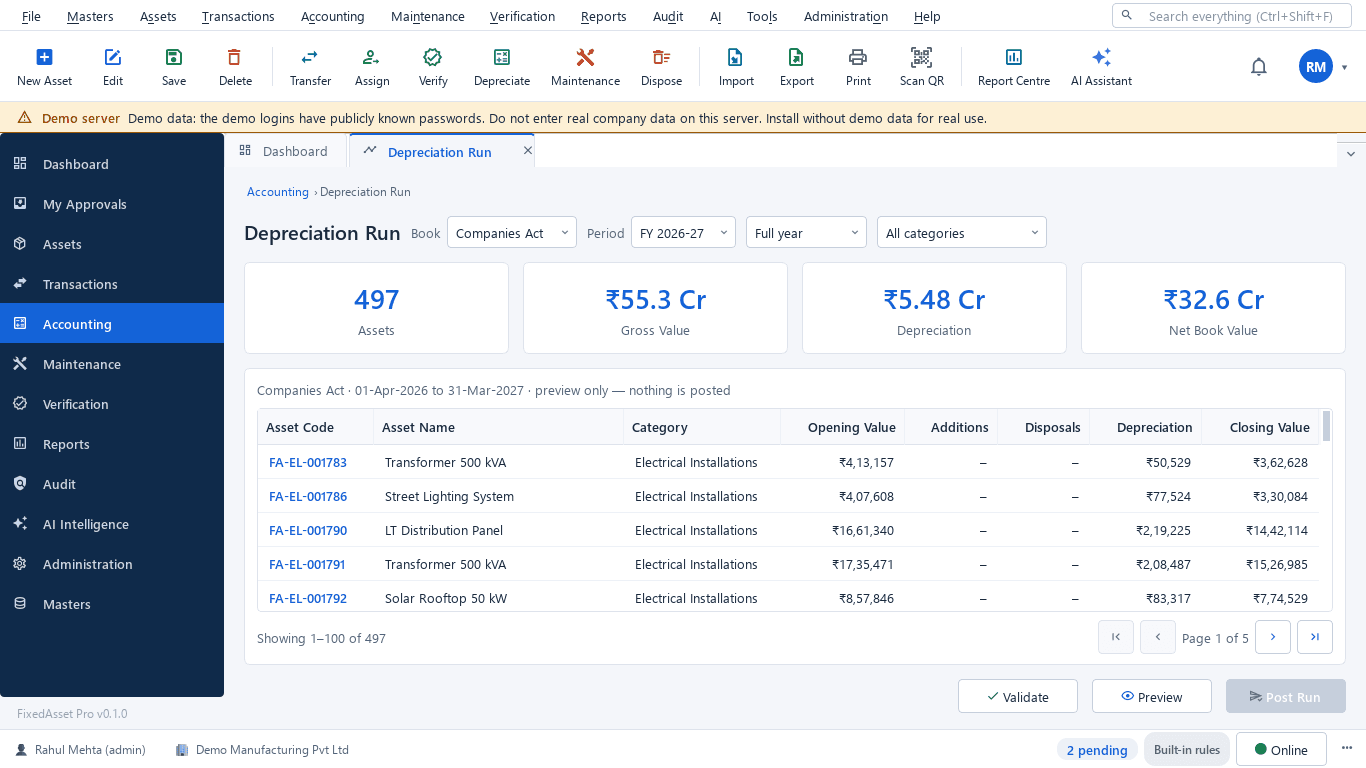
Full year, quarter or month, per book and category, on your fiscal calendar (April to March by default). Validation lists missing inputs before the preview shows opening, additions, disposals, depreciation and closing per asset.
Explain, per line
Explain on any asset line shows how its figure was worked out: the inputs, method, rate, days and rounding. The same explanation is available from the AI assistant.
Post, reverse, reproduce
Submit a run for approval and post it; reverse a posted run as its own transaction; reproduce a historical run from its policy snapshot. Historical calculations are never silently changed.
Finance events
Change of estimate, cost adjustment, pause and resume, held for sale. Each is a recorded event that takes effect from the next period, not a rewrite of the past.
Compare and journal
Compare a run with the previous one, line by line, and take the depreciation journal of the run to your ledger.
Reference data, not advice
Schedule II lives, Income-tax rates and thresholds ship as reference data. Agree them with your auditor before the first run; the application records the justification for every override.
How it works
One run, from the book and period to a posted journal.
Choose book and period
Companies Act, Income-tax or another book; a year, quarter or month.
Validate
Eligibility and missing inputs are listed before any figure is produced.
Preview
Opening, additions, disposals, depreciation and closing per asset.
Explain
Open any line to see the inputs, method, rate and days behind it.
Submit and post
Approval, then posting; the journal goes to the ledger mapping.
Reverse or reproduce
A posted run can be reversed; any run can be reproduced from its snapshot.
In the product
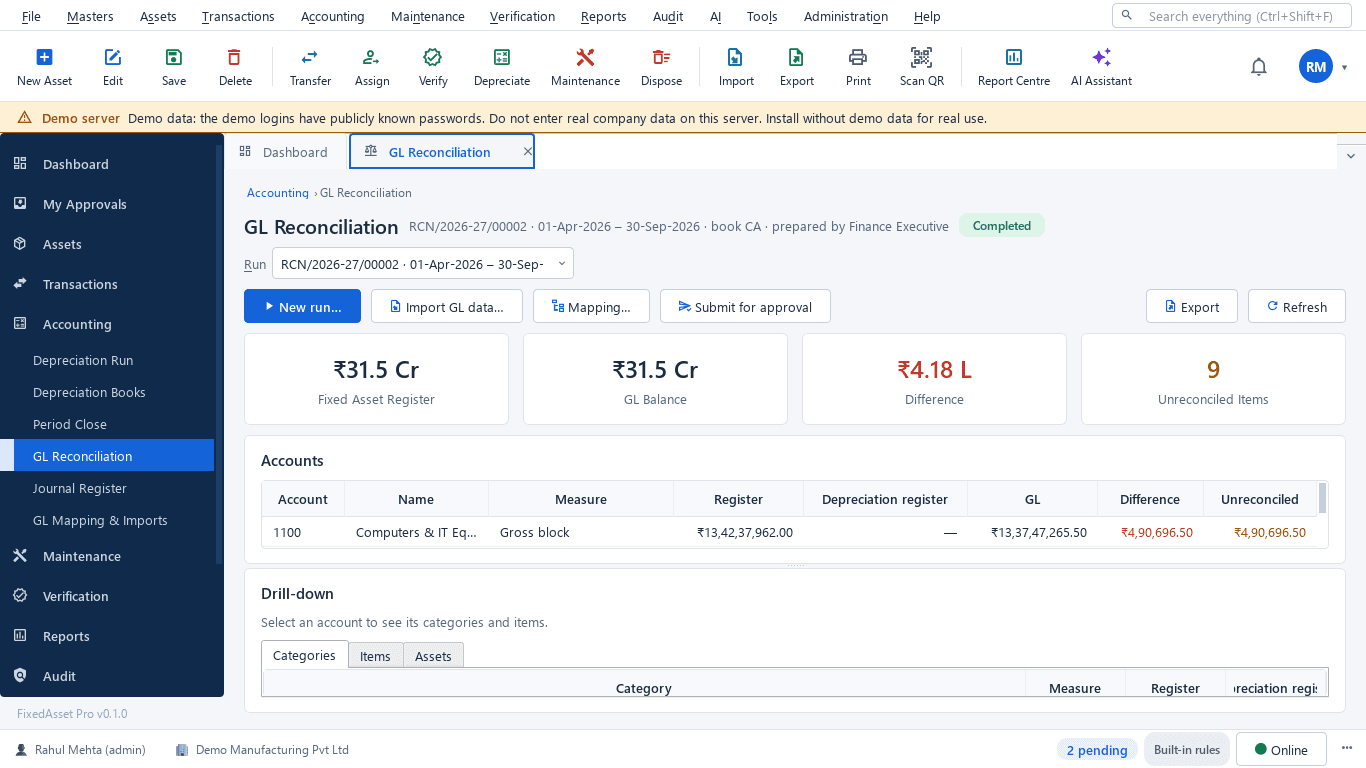
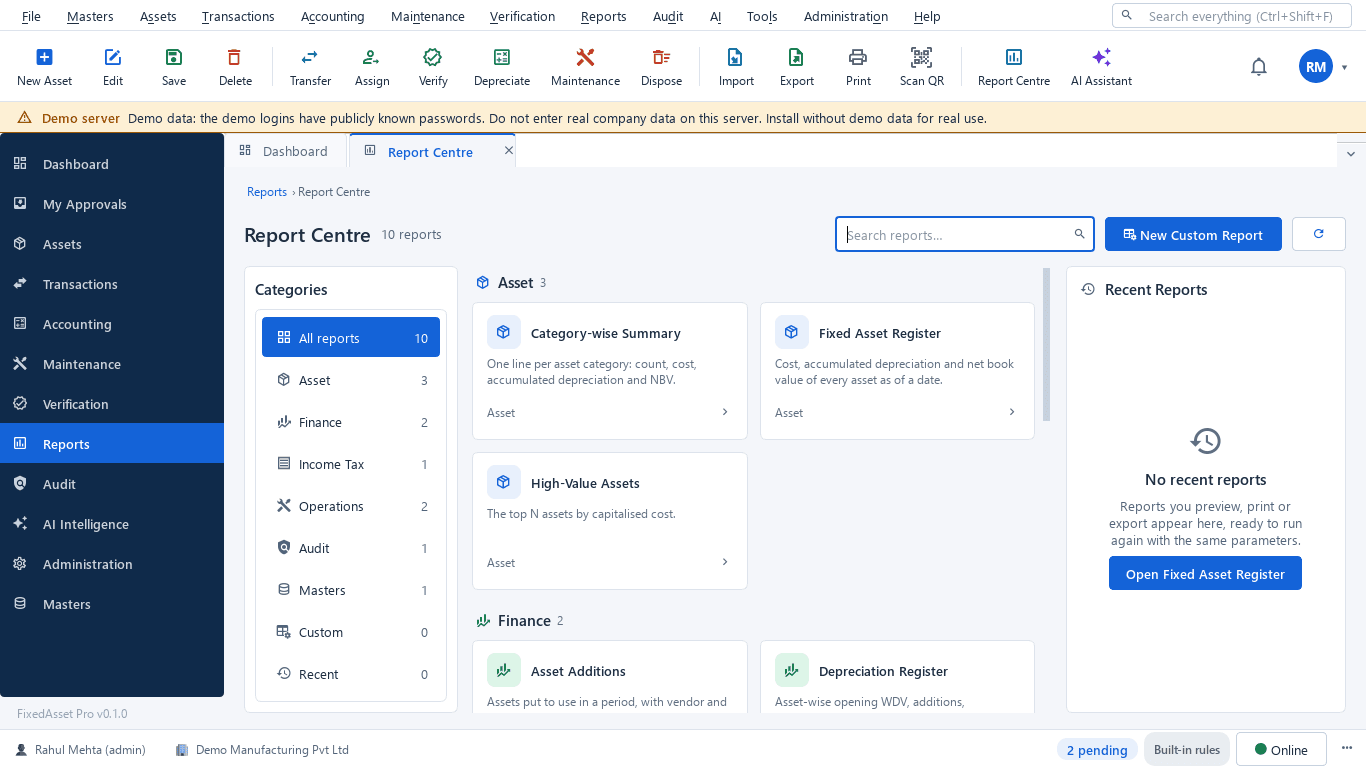
Real screens of the desktop edition, captured on a demo server. The web edition runs the same backend rules in the browser.
Web and desktop
Which edition has it today. One backend, the same depreciation engine, approval chains and audit trail on every surface.
Web app
AvailableBoth statutory books and additional books, validate, preview and explain, posting, reversal, reproduction and period close.
Desktop app
Partly availableBoth books with preview and explain per asset. Posting runs and period close are planned for the desktop edition.
Works with
Where this feature connects to the rest of the platform, and who uses it most.
Related features
By role
Frequently asked questions
Does it keep both the Companies Act and the Income-tax computation?
Yes, as two books on the same asset. The Companies Act book depreciates each asset by its useful life; the Income-tax book works on s.32 blocks with the 180-day rule, additional depreciation and s.50. A comparison report shows both side by side.
What about an asset used for less than 180 days in the year?
The Income-tax book applies the half rate automatically from the put-to-use date, and the block-wise report shows the 180-day split.
Can we see how a figure was calculated?
Open Explain on any line of a run. It shows the inputs, the method and rate, the days counted and the rounding. Posted runs keep their policy snapshot, so the explanation stays valid later.
What happens when we change a useful life?
A change of estimate is recorded as an event and applies from the next period. Earlier periods are not recalculated or rewritten.
More about Depreciation
Learn more in our guides
One asset, several books: how FixedAsset Pro keeps Companies Act, Income-tax and other depreciation side by side
Indian companies depreciate the same asset at least twice: once under Schedule II and once under the Income-tax Act. Groups reporting abroad add a third. Here is how depreciation books work in FixedAsset Pro, and what each one is for.
Low-value assets: setting a capitalisation threshold after Schedule XIV
The old ₹5,000 write-off rule disappeared with Schedule XIV. Here is what replaced it in the books, why the Income-tax and GST answers differ, and how to keep control of items you expense.
Component accounting in practice: deciding what to split and how to price it
Schedule II and Ind AS 16 both require significant parts with different lives to be depreciated separately. The hard part is the judgement: which parts, at what cost, and what happens when one is replaced.
See it on your own register
Start a free trial of the web edition, or book a demo and we will walk through it with your data. No card is needed to begin.