
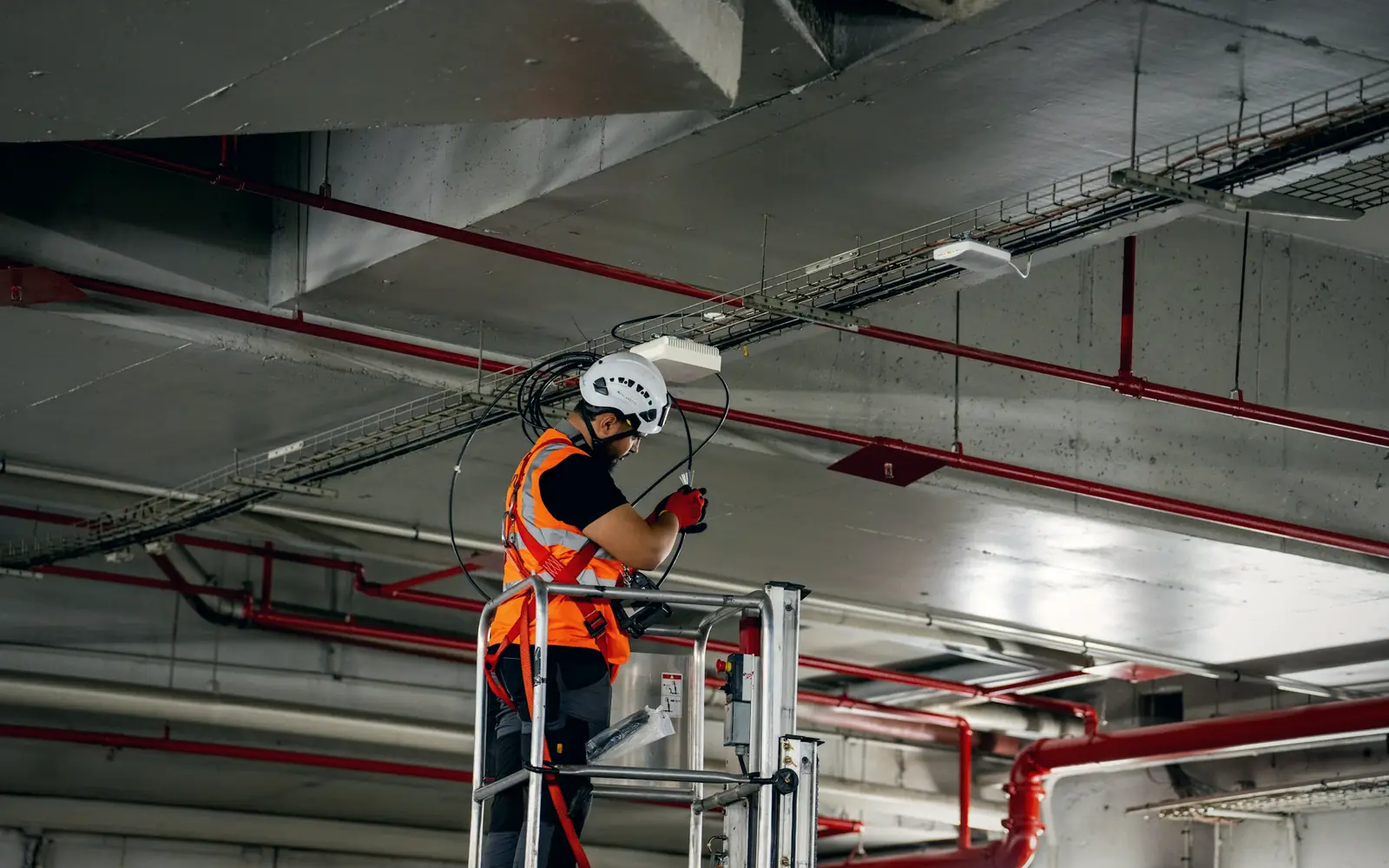
Every building system, with its service history attached
A property is a collection of equipment that must keep running: chillers, lifts, generators, fire systems, access control. Facility teams know the service dates by heart, but the register, the AMC contract and the insurance policy usually sit in three different places. FixedAsset Pro keeps them on the same equipment record, building by building.
Who this page is for
- Commercial property owners
- Facility management companies
- Corporate campuses
- Property groups
- Building operators
Common challenges
The operational and financial problems this industry brings to an asset register, and what FixedAsset Pro does about each.
- Operational
Inspections are due but nobody is reminded
Lift inspections, generator load tests and fire-system checks fall on different cycles. When the reminder lives in one person's calendar, a missed visit is found only when a tenant complains or an inspector arrives.
- Operational
Service contracts expire unnoticed
A building runs on a dozen AMCs with different vendors and renewal dates. Expired cover means a breakdown is paid at full price, and missed visits are hard to prove without a record per contract.
- Operational
Equipment history is in the vendor's hands
When a chiller is serviced by the same contractor for years, the history is in their files, not yours. Changing vendor, or disputing an invoice, means starting from zero.
- Financial
Insurance cover does not match the register
Equipment is added, replaced and scrapped, but the insurance schedule is updated once a year. Claims then find assets that were never declared, or premiums paid on equipment long gone.
- Financial
Building equipment depreciates in one lump
A property is often held as one asset on the books, so a replaced lift or a new HVAC plant is expensed or buried, and the Schedule III figures do not reflect what is really installed.
- Financial
Lifecycle spend is invisible per building
Deciding whether to refurbish or replace needs the maintenance cost, downtime and book value of each system by property. Those figures rarely exist as a time series.
Asset categories you can track
Categories, lives and depreciation rates are configurable; these are the ones this industry usually needs.
- HVAC
- Elevators and escalators
- Generators and power
- Building equipment
- Security equipment
- Fire and life safety
- Electrical systems
Applicable workflows
Each workflow is a product area; the link opens the feature page.
Preventive schedules and AMC visits per building
Set preventive schedules by time or meter for each system, let the work orders raise themselves, and record AMC contracts with SLA, covered assets, planned visits, missed visits and renewal dates.
Maintenance & AMCOne record per system, under its property
Register each lift, chiller and generator as its own asset with location, custodian, serial and installation date, with the property as a branch and the floor or plant room as the location.
Fixed Asset ManagementInsurance policies tied to equipment
Policies, endorsements and claims recorded against the covered assets, with a coverage-gap view so the insurance schedule matches what is actually installed.
Financial ManagementInspection and service evidence in the vault
Attach inspection certificates, service reports and photos to each asset; versioned documents and checksummed evidence packs are there when an inspector, insurer or new vendor asks.
Audit & ComplianceEquipment depreciated separately from the building
Significant systems carry their own cost and useful life under Companies Act and Income-tax books, so a replaced lift is a disposal and an addition, not a hidden expense.
Depreciation
Key features
Upcoming maintenance across properties
The dashboard lists upcoming preventive work, warranty ends and AMC ends by date, filtered by branch, so a facility manager sees the next thirty days for one building or all of them.
AMC with SLA and missed visits
Each contract records the vendor, the covered assets, the agreed visits and the SLA; missed visits are recorded, and renewals appear in the AMC Expiry report.
Insurance Expiry and uninsured-asset reports
Insurance Expiry lists policies ending within a chosen window; the operations reports also show assets without cover.
Breakdown reporting from a scanned tag
Staff report a breakdown from the register, the dashboard or by scanning the equipment tag; the work order records parts, cost and downtime against that system.
Asset history and movement reports
Asset History shows every event for one system; Asset Movement shows transfers and assignments across the period, for instance when a generator is moved between properties.
Component accounting for building plant
Compressors, motors and control panels can be recorded as components of the parent system, so a replaced part is accounted for without rewriting the main record.
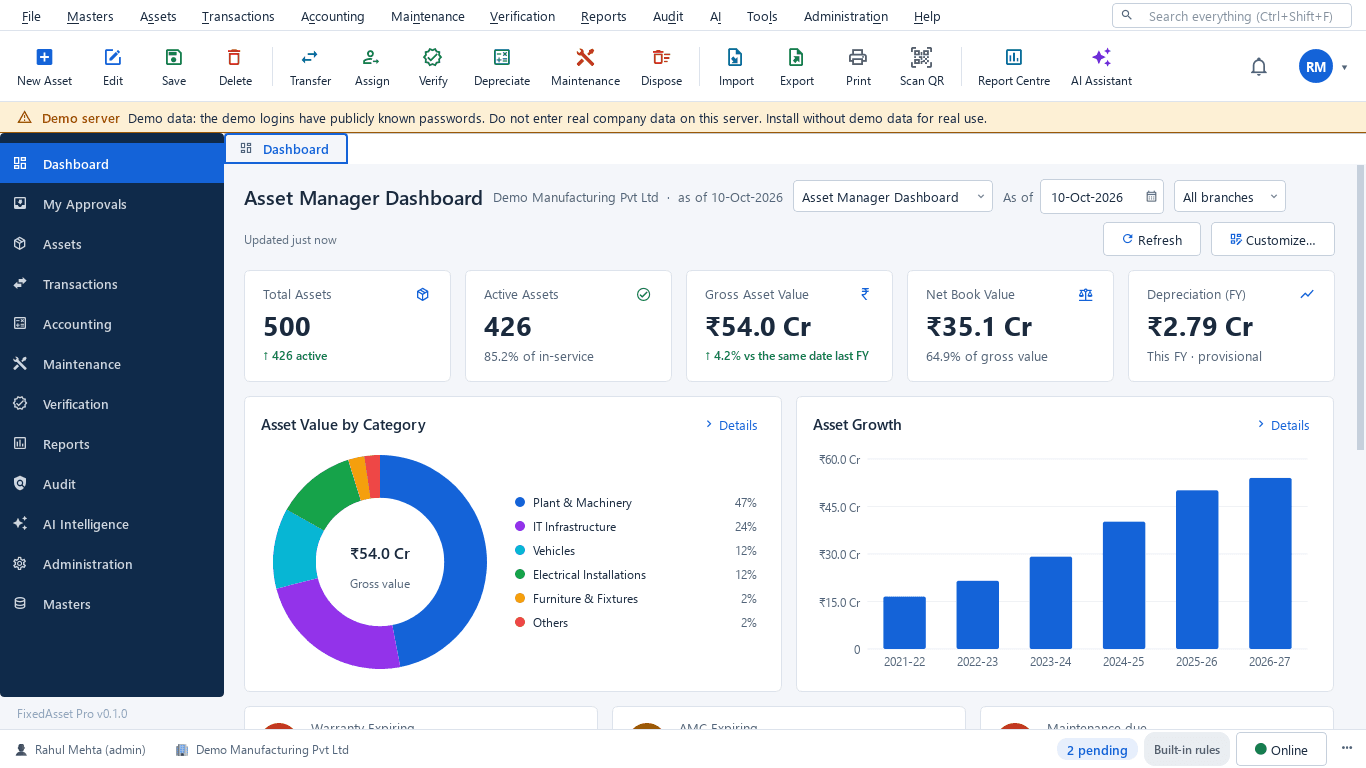
The asset manager dashboard for a property portfolio
A real screen of the desktop edition, captured on a demo server. The figures are sample data, not customer data.
What this screen shows
- Total and active assets
- Gross asset value and net book value
- Depreciation for the financial year
- Asset value by category
- Asset growth by financial year
- Warranty expiring, AMC expiring and maintenance due
Typical buyers and users
Facility or property manager
What is due this month in each building, which AMCs are about to lapse, and which system keeps breaking down.
Solution for the Facility or property managerHead of engineering or maintenance
Work orders with parts and cost, inspection evidence per system, and a service history that stays with the equipment when the vendor changes.
Solution for the Head of engineering or maintenanceFinance controller
Equipment depreciated on its own life, insurance schedules that match the register, and additions and disposals that reconcile to the ledger.
Solution for the Finance controllerAsset manager
Every system tagged, located to a floor or plant room, and verified during the annual count with photos and comments.
Solution for the Asset manager
Deployment considerations
The desktop edition is available today for a single PC or an office LAN; the cloud-hosted web edition and the mobile app are available too. All start with your real company, never demo data.
- Desktop editionAvailable now
Runs today on a server PC in the estate office or head office, with client PCs at the properties on the same network. USB scanners and webcams read the equipment tags; daily work needs no internet.
- Web editionAvailable now
Suits property groups and facility management companies with many sites: one browser login, a Branch context bar per property, approvals for work and transfers from anywhere, and dashboards across the portfolio.
- Using bothSame rules, same engine
A group that starts on desktop at head office keeps its register; both editions share the same rules, approvals and audit trail. Field counting on a phone is a companion of the web edition only.
Frequently asked questions
Can we record a building's equipment separately from the building itself?
Yes. Each lift, chiller or generator is its own asset with its own cost, useful life and depreciation under both books, while the property is the branch it belongs to. Significant parts can be recorded as components.
How are AMC visits and missed visits tracked?
Each AMC records the vendor, the SLA, the covered assets, the planned visits and the renewal date. Visits are logged against the contract, missed visits are recorded, and the AMC Expiry report lists contracts ending within a chosen window.
Can tenants or building staff report a breakdown?
A user with the right role reports a breakdown from the register, the dashboard or a scanned tag, and the work order is raised against that equipment. Self-service requests for employees are part of the web edition.
Does the product remind us before an inspection or policy expires?
Warranty, AMC and insurance expiries raise in-app and e-mail alerts, and preventive schedules by time or meter raise their own work orders. See Maintenance & AMC.
Can the register cover several properties under one company?
Yes. Properties are branches, floors and plant rooms are locations, and users can be scoped to a company, a branch or a location. Transfers between properties go through an approved transfer transaction.
Where do inspection certificates and service reports live?
In the evidence vault on the asset: versioned documents, photos and verification results, with checksummed evidence packs that cannot be deleted. See Audit & Compliance.
Guides and articles
Published articles tagged for this industry.
Schedule III disclosures for property, plant and equipment: what the notes must show
The fixed asset note is more than a roll-forward. Since the 2021 amendments, Schedule III also asks about title deeds, registered valuers, CWIP ageing and benami proceedings. A walk through what goes in, and where the data comes from.
Component accounting in practice: deciding what to split and how to price it
Schedule II and Ind AS 16 both require significant parts with different lives to be depreciated separately. The hard part is the judgement: which parts, at what cost, and what happens when one is replaced.
Other industries
All industries Manufacturing
 Pharmaceutical & Life Sciences
 Healthcare & Hospitals
 Information Technology
 Banking & Financial Services
 Retail
 Wholesale & Distribution
 Logistics & Warehousing
 Education
 Government & Public Sector
 Construction & Infrastructure
 Energy & Utilities
 Telecommunications
 Hospitality
 Automotive
 Media & Entertainment
 Agriculture & Food Processing
 Professional Services
 Multinational Enterprises
See FixedAsset Pro on your own property register
Start a free trial, or book a demo and bring your equipment list, your AMC schedule and this year's insurance policy.